Release results and post marks
Release a paper's results to pupils and families, then post the marks into the gradebook.
Updated
When results go out depends on the kind of paper (see Assessment settings):
- Quizzes can release as soon as they are handed in.
- CA tests and assignments release when they close and are marked.
- Exams and mocks wait for the office.
Release, for the office
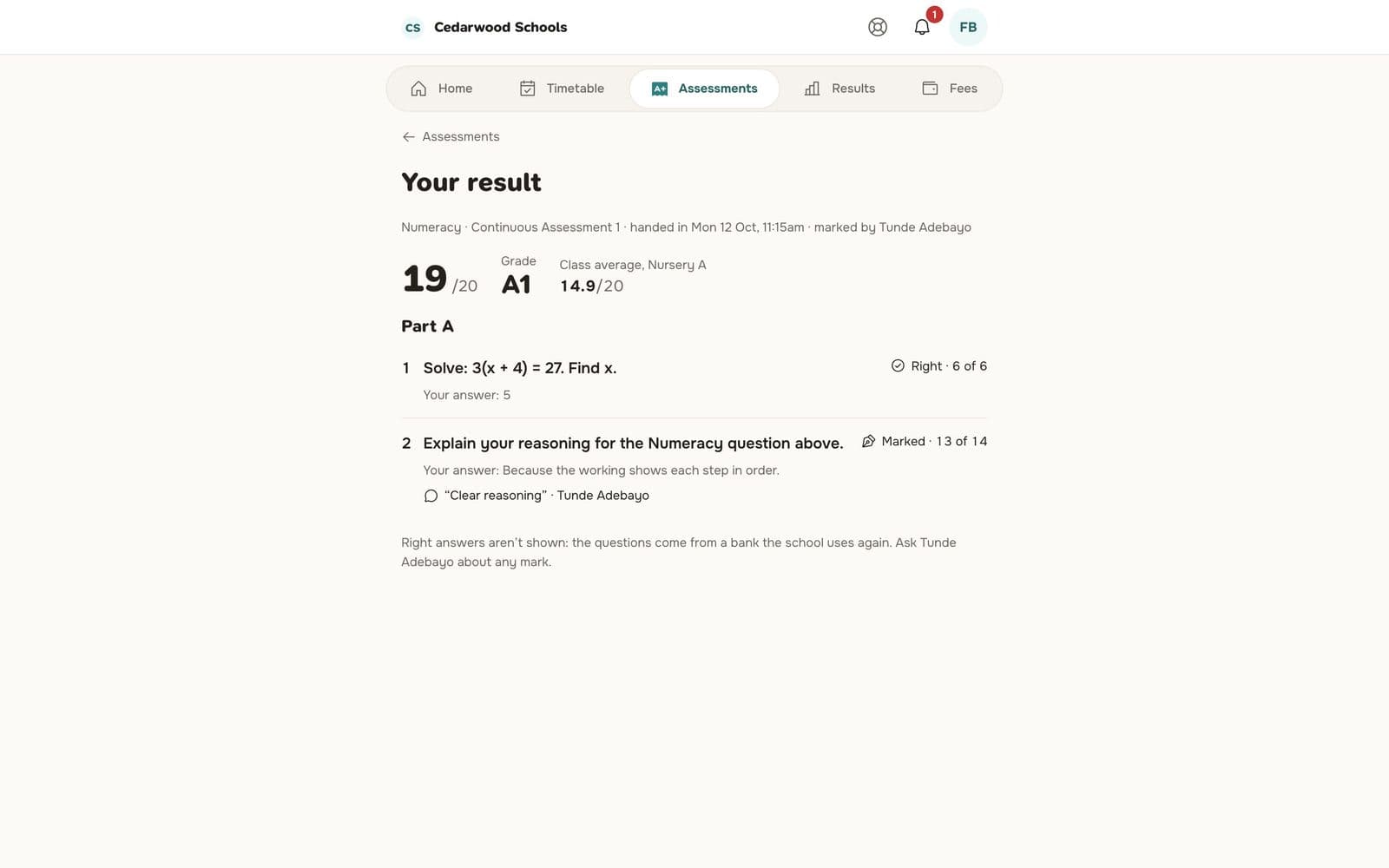
Go to Assessments. Papers needing you are under Needs you. Open a paper that's ready and press Release the results. Pupils and families see the score and grade.
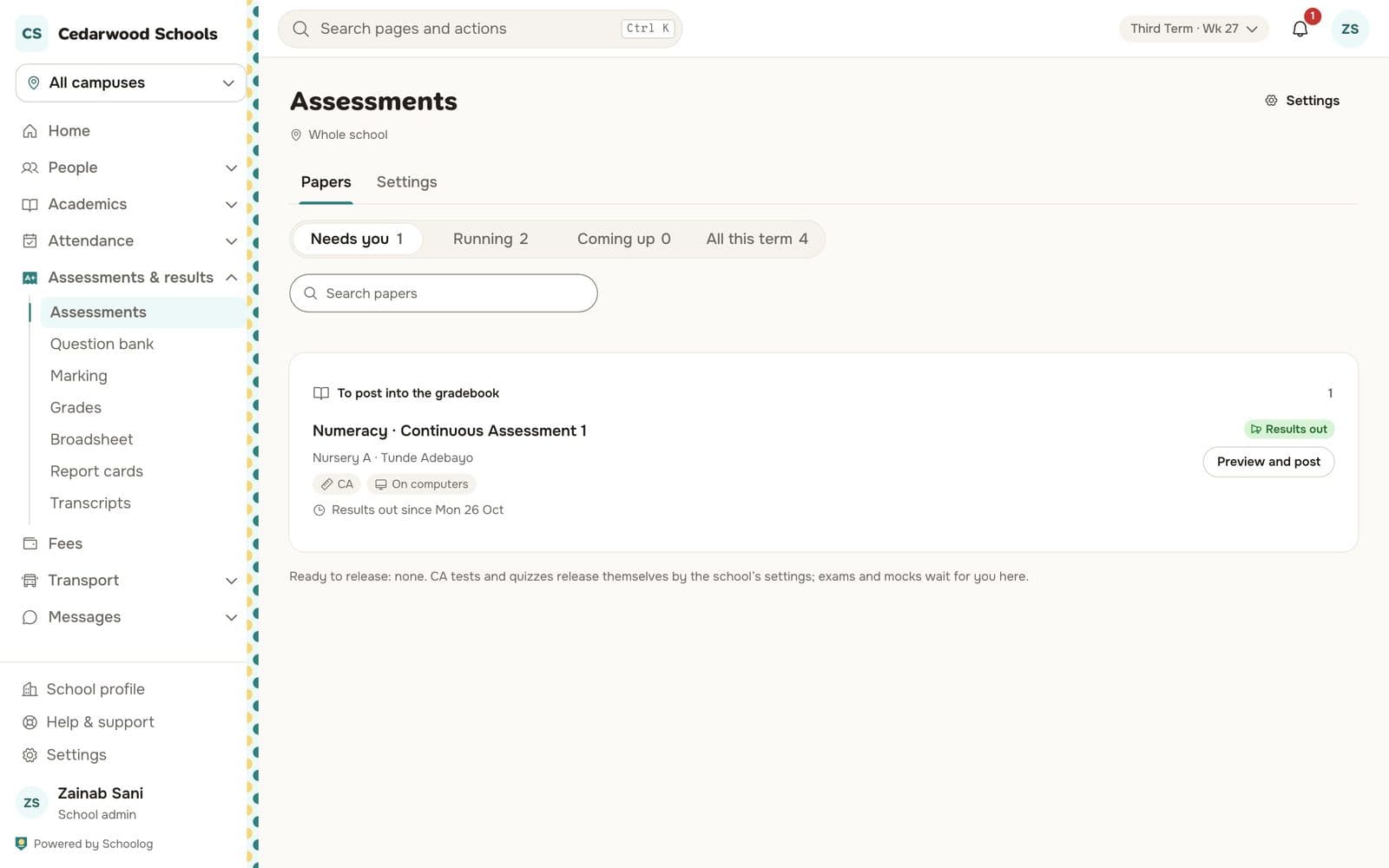
Post into the gradebook
After release, press Preview and post. The page shows What posting writes for each pupil: the paper's mark, scaled to the gradebook column (for example CA 1, out of 20).
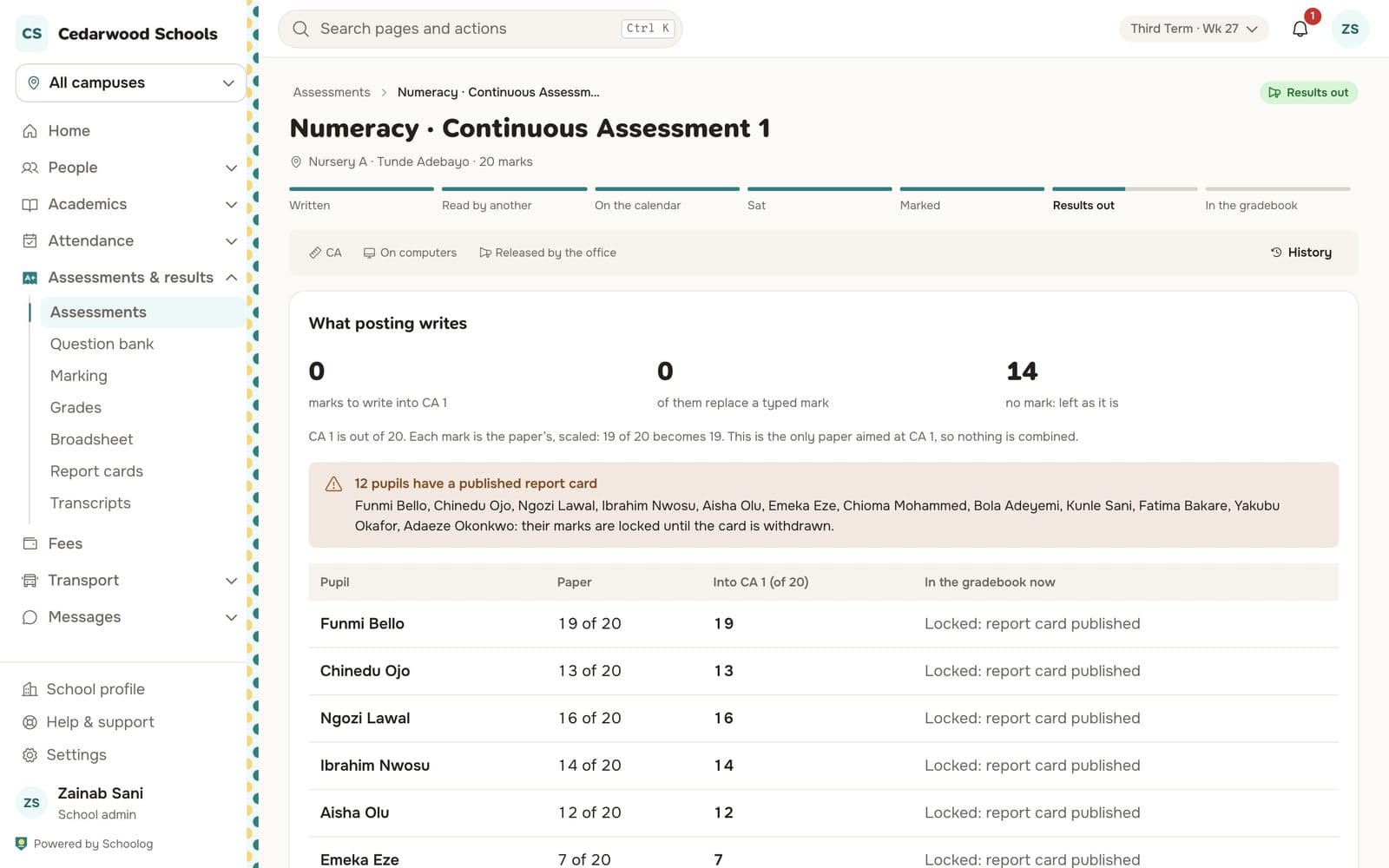
Posting is all at once or none. Pupils whose report card is already published are locked, so their marks aren't changed; they are listed for you.
What families see
Pupils and parents see the result with each answer, whether it was right, and the teacher's comments. The right answers to bank questions are not shown, because the school uses them again.