Sit a paper on a computer
For pupils: how to start, answer, flag and hand in a paper, and what happens if the computer stops.
Updated
- Sign in on your school's page with your admission number and PIN or password.
- Go to Assessments. Papers open now are at the top. Press Open.
- Read the instructions, then press Go full screen and start. The clock starts now.
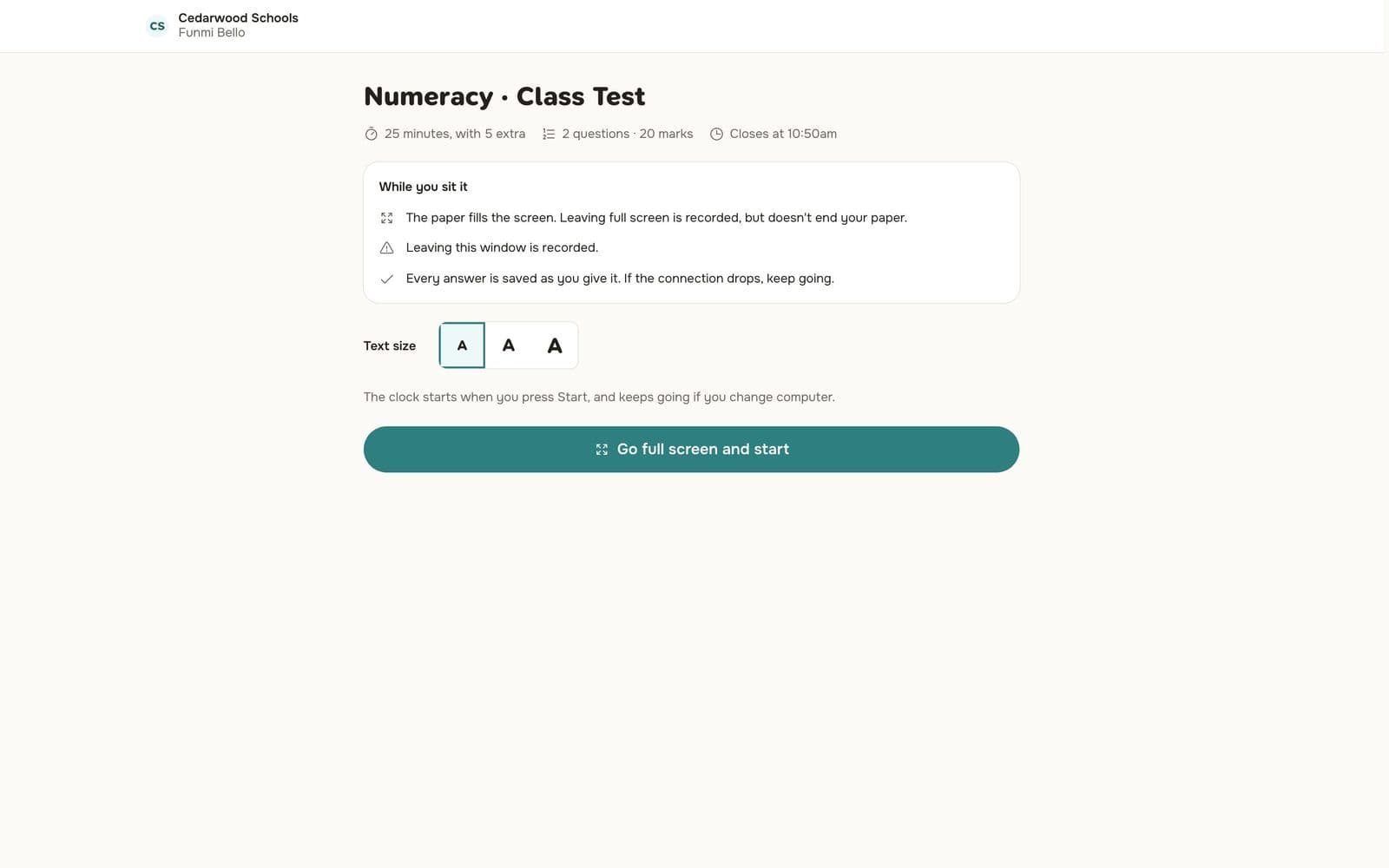
While you sit it
- Choose or type your answer. It is saved as soon as you give it.
- Press Next and Back to move, or a number in the question map.
- Press Flag to mark a question you want to come back to.
- Change the text size with the A buttons.
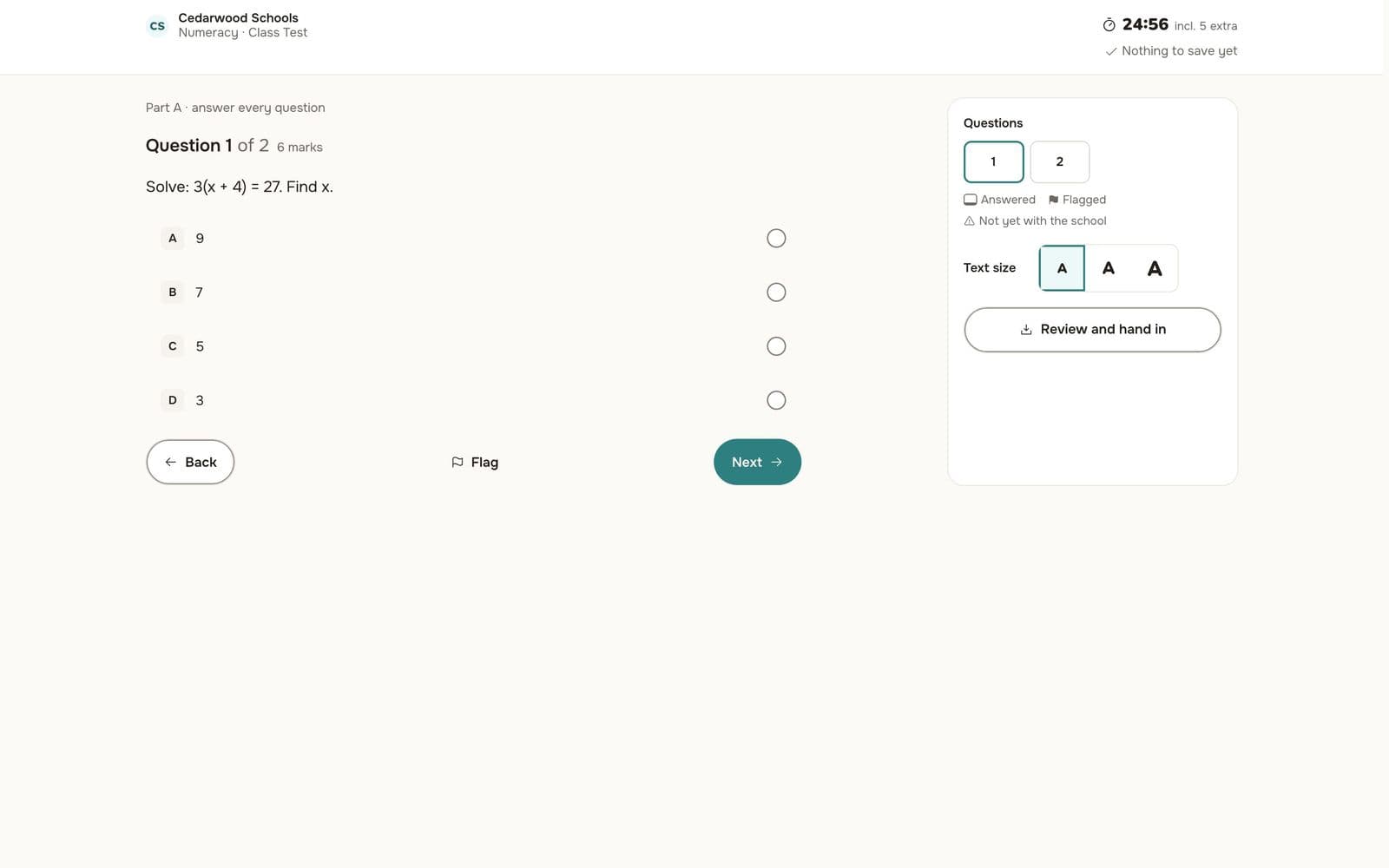
The paper fills the screen. Leaving full screen is recorded, but it doesn't end your paper.
If the computer stops
Don't panic. Every answer you gave is saved. Go to another computer, sign in, and open the paper again. You carry on from where you were, with the same time left.
If the connection drops, keep going. Your answers are saved again when it comes back.
Hand in
Press Review and hand in, check the questions you haven't answered or flagged, then hand in. When the clock runs out, the paper is handed in for you.
Some papers show your result straight away; others when the teacher has marked it and the school releases results.