Write a paper
Create an exam, CA test, quiz, assignment or mock, add its questions and send it for review.
Updated
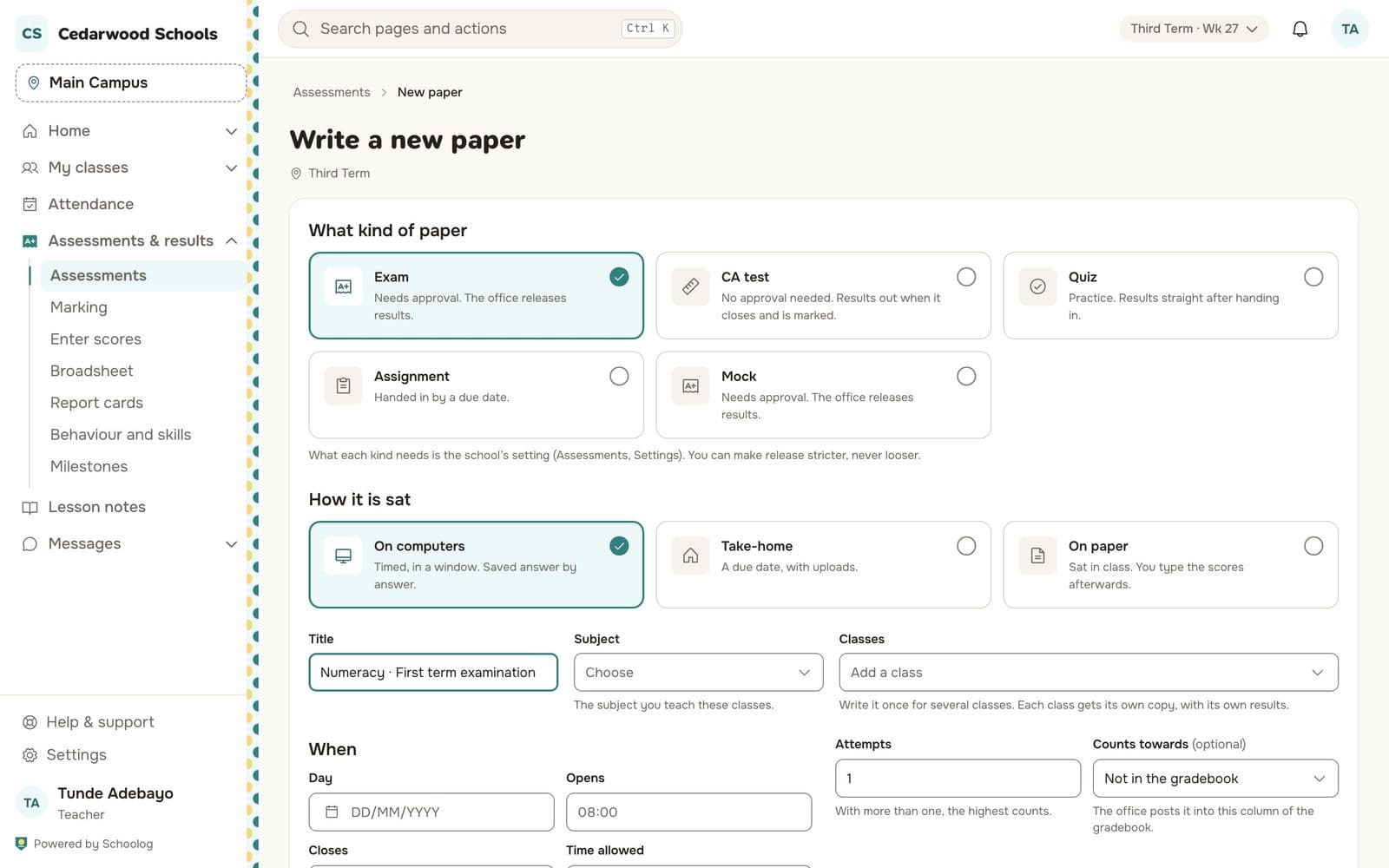
- Go to Assessments and press New paper.
- Choose what kind of paper it is: exam, CA test, quiz, assignment or mock. Each kind has its own rules for review and results, set by the school.
- Choose how it is sat: on computers, take-home, or on paper.
- Give it a title, choose the subject and the classes. One paper can go to several classes; each class gets its own copy with its own results.
- Set when: the day, opening and closing times, time allowed and the number of attempts.
- Choose which gradebook column it counts towards, if any.
Add questions
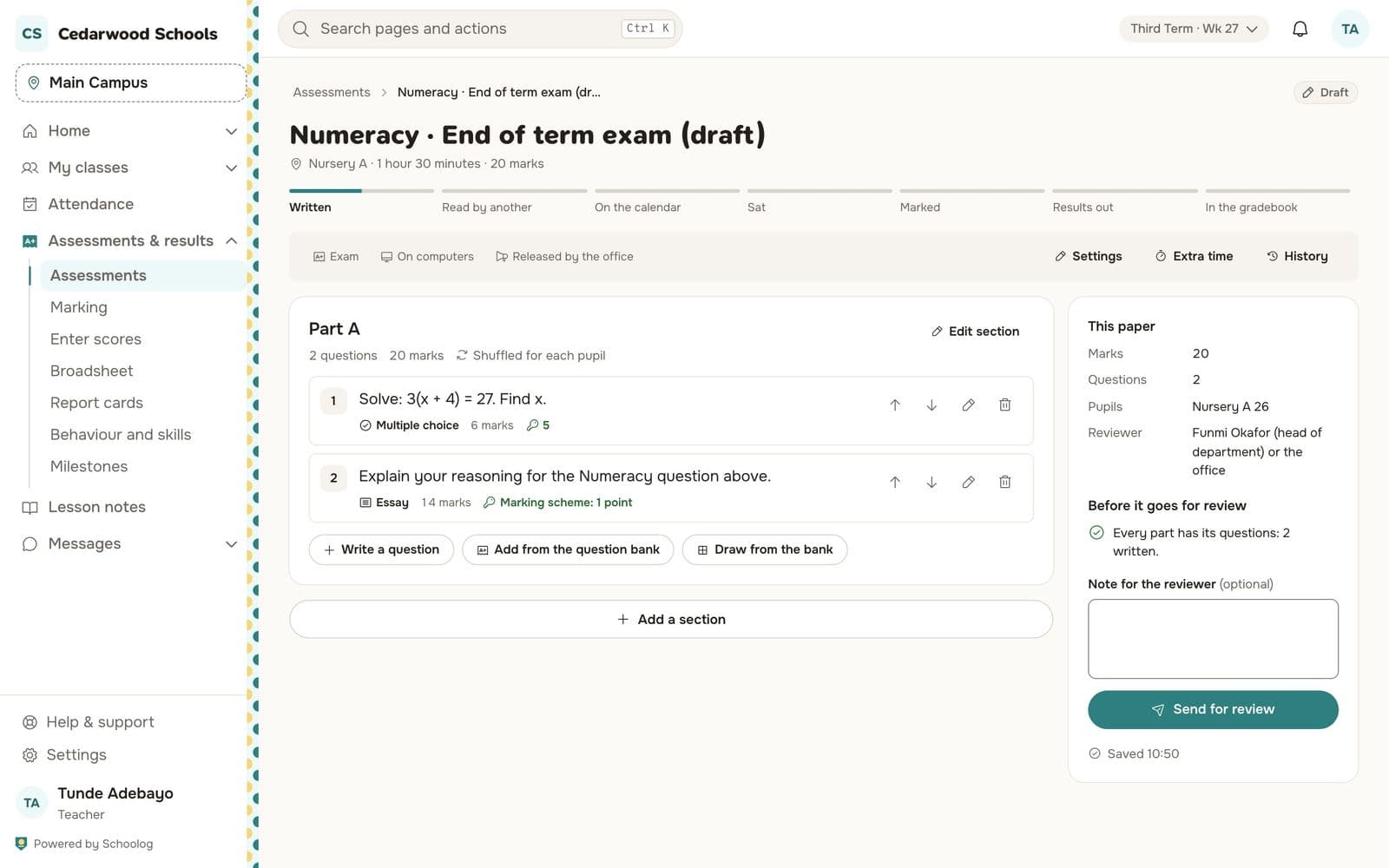
The paper is in parts. In each part:
- Write a question: multiple choice, short answer or essay, with the marks and, for essays, the marking scheme.
- Add from the question bank, or Draw from the bank to pick questions at random for each pupil.
Use Add a section for another part, and Edit section to say how many questions pupils answer and whether to shuffle them.
Send for review
When every part has its questions, add a note for your reviewer if you like and press Send for review. Exams and mocks go to the head of department. Once approved, the paper goes on the calendar.
The paper saves as you go. Its history shows every change and who made it.