Computer-based tests that survive exam day
A lab full of pupils, a connection that drops, a computer that freezes halfway through. How Schoolog's tests are built for a real exam morning.
· 3 min read · Emmanuel Okosisi
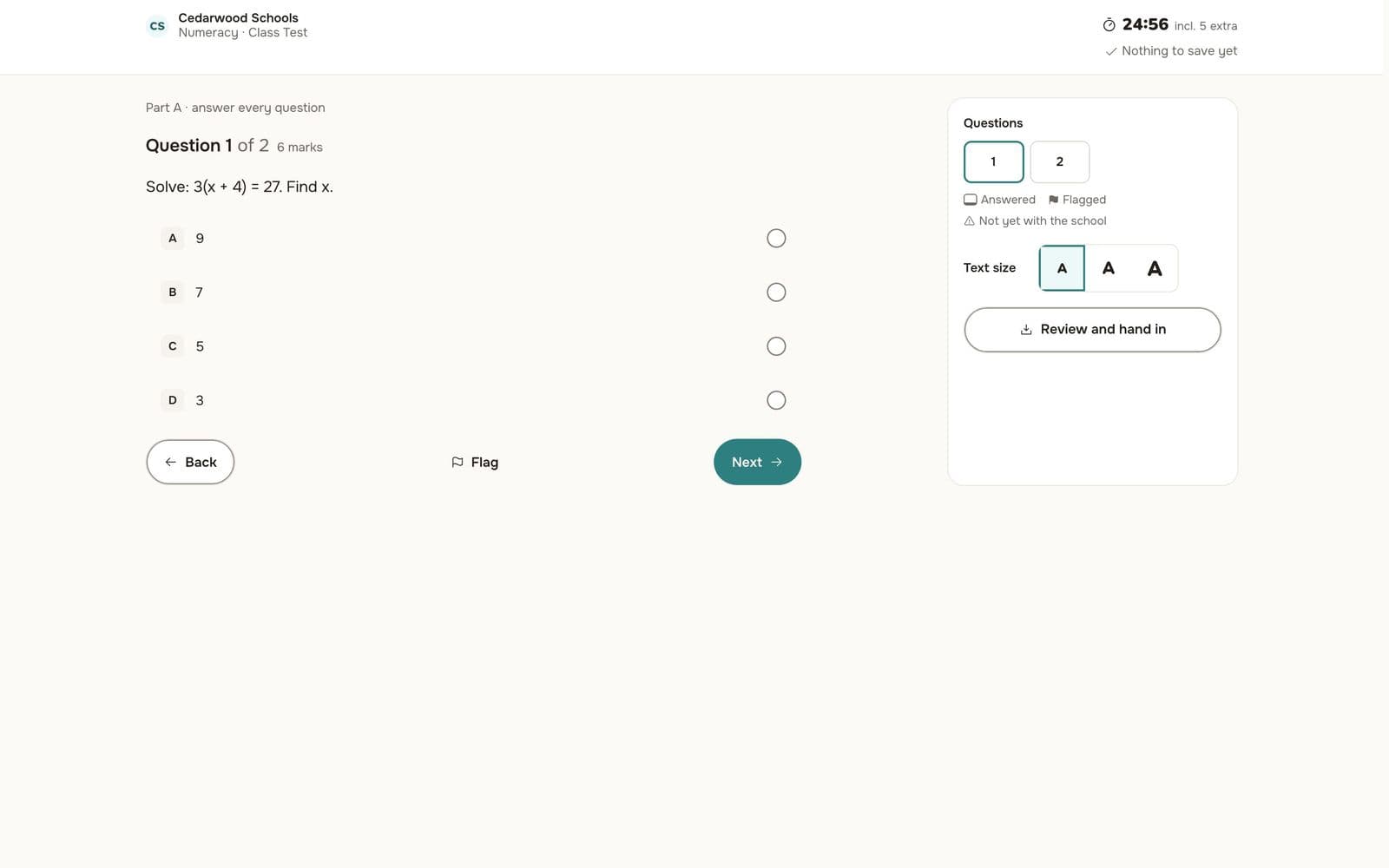
Anyone who has run a computer-based test in a school lab knows the moment. Thirty pupils press Start together, the network slows to a crawl, and one computer restarts with ten minutes left. If the answers were only in that browser, they are gone.
Schoolog's assessments were rebuilt from the ground up for that morning.
Every answer is saved as it is given
When a pupil picks an answer, it is saved to the school's record straight away. If the connection drops, the paper keeps working and saves again when the connection comes back. If the computer dies, the pupil moves to another one, signs in, and carries on from the same question with the same time left. Nothing is lost, and nobody gets to start again with a fresh clock.
Pupils see a clock, the number of questions, which ones they have answered and which they flagged to come back to. They can make the text bigger, and they review their answers before they hand in.
Pupils sign in without an email address
Pupils sign in on their school's own page with their admission number and a PIN or password. Each stage chooses which: a four-digit PIN for younger pupils, a password for the seniors. If a pupil forgets, the class teacher gives them a new one in a few seconds. A burst of thirty sign-ins at once is expected, not treated as an attack.
The invigilator sees the room
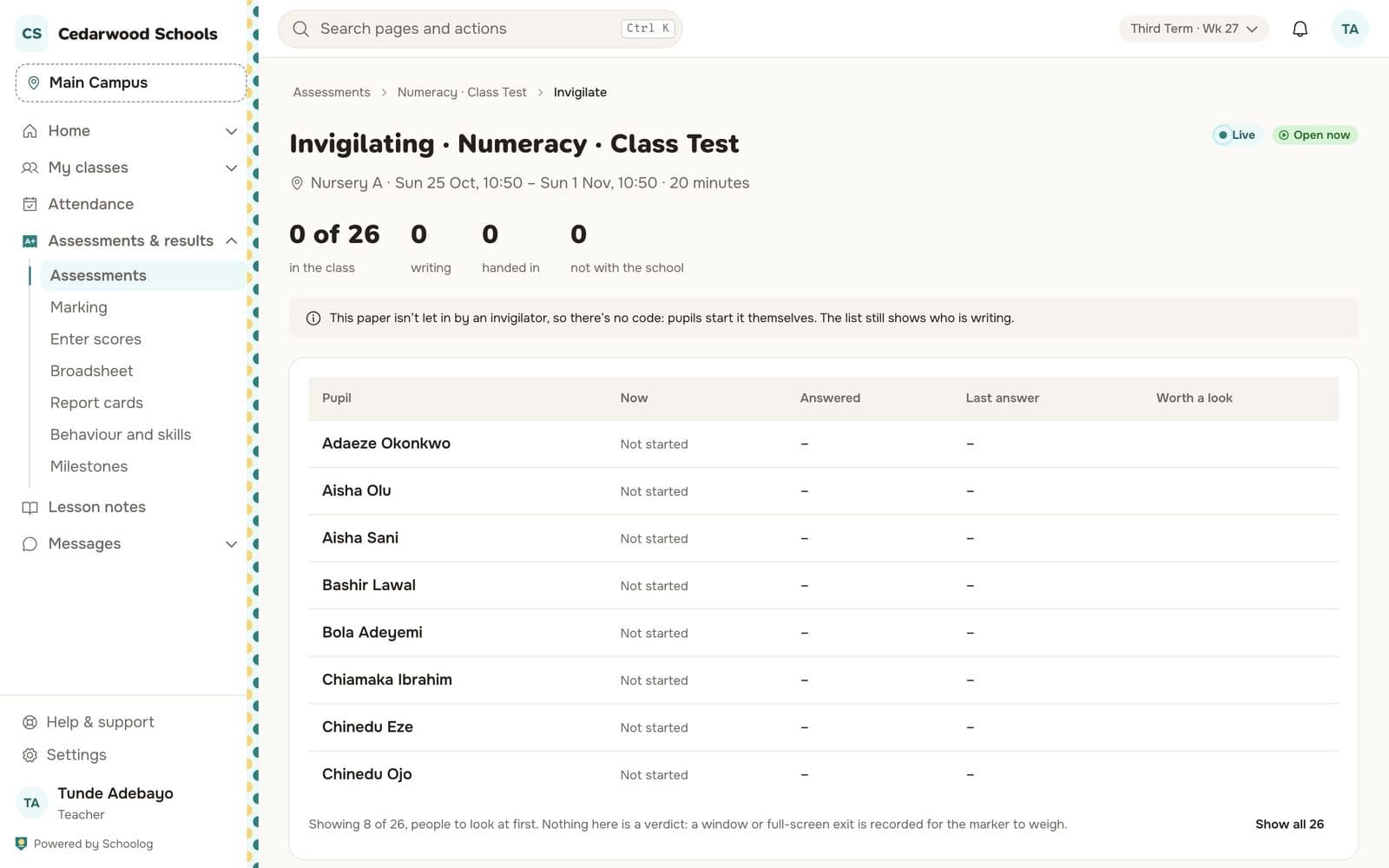
The teacher invigilating sees every pupil in the class: who has not started, who is writing, who has handed in, and who has left the paper's full screen. A paper can be set to open only when the invigilator lets pupils in, by a code on the board or from the class list. Leaving full screen is recorded for the marker to weigh, not used as an automatic verdict.
Every kind of paper, one place
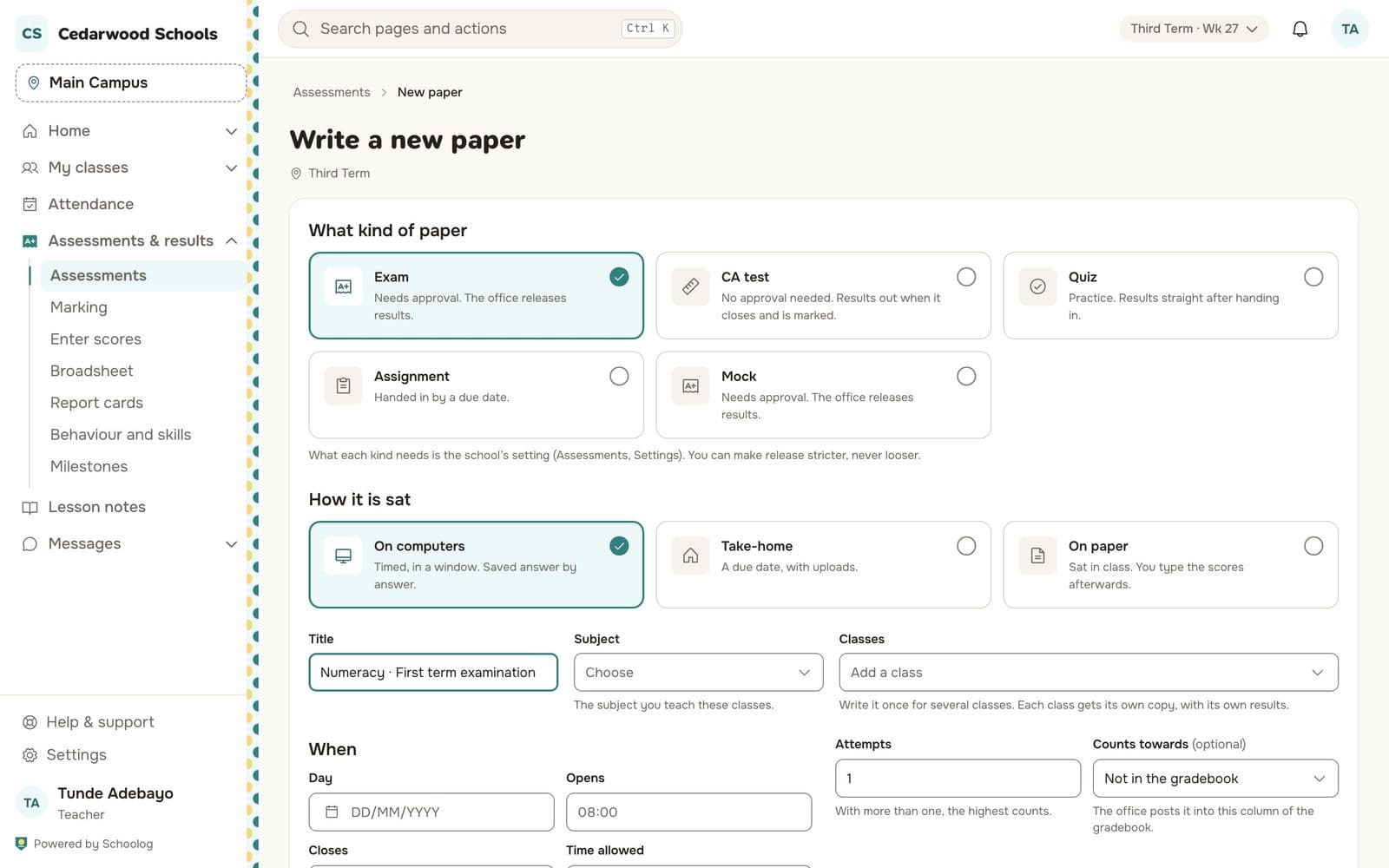
A paper can be an exam, a mock, a CA test, a quiz or an assignment, and it can be sat on computers, taken home with uploads, or sat on paper with scores typed in afterwards. The school decides what each kind needs: exams and mocks go to the head of department for review and wait for the office to release results; quizzes can release as soon as they are handed in.
Questions can come from the school's question bank, shuffled for each pupil. Multiple-choice answers are marked on their own. Essays are marked by the teacher against the marking scheme.
Mistakes in the answer key can be fixed
If a teacher finds a wrong answer key after the paper has been sat, they fix the key and every script is marked again, with the change recorded. The question itself cannot be changed once pupils have seen it.
Results go to the gradebook
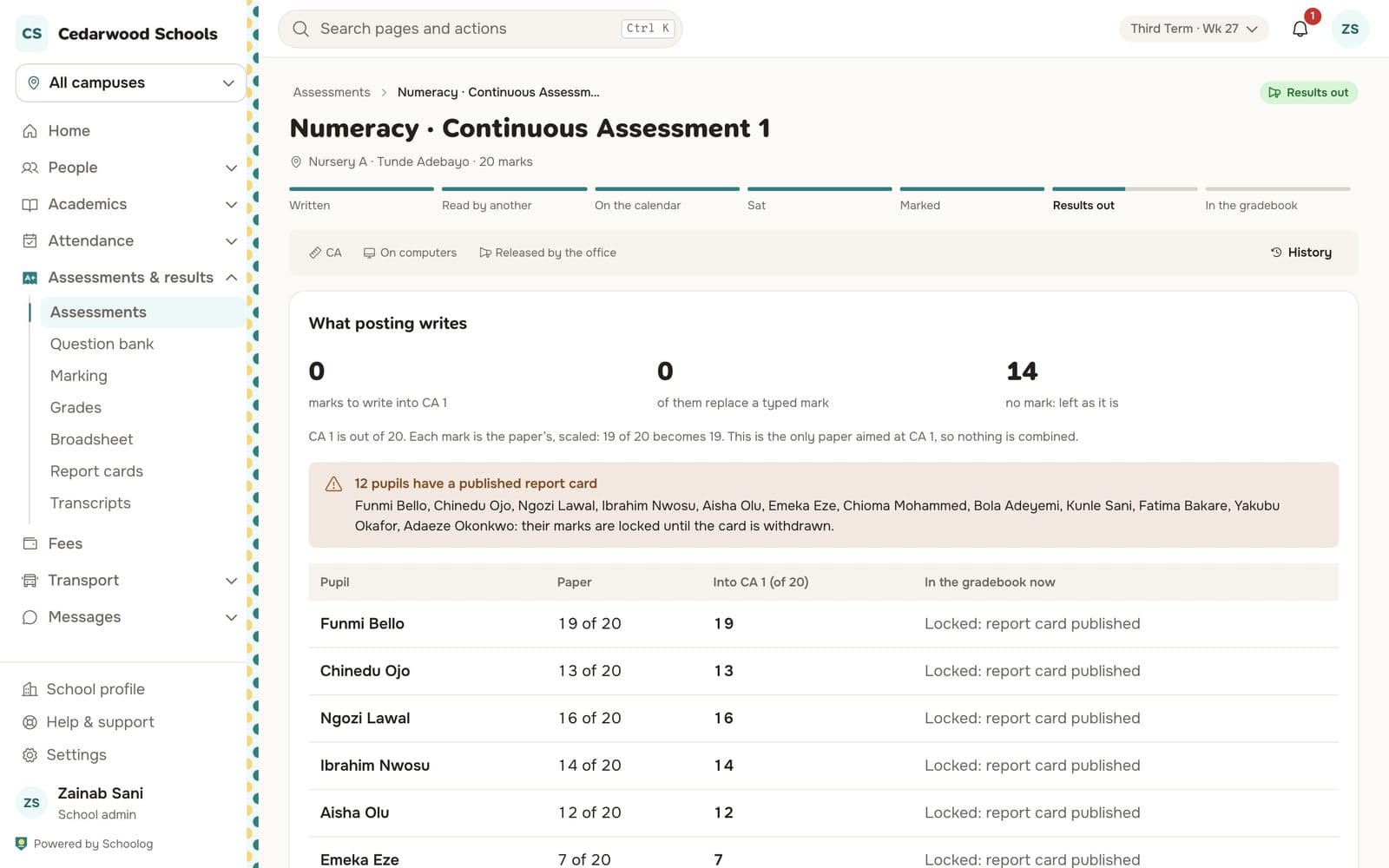
When results are released, pupils and parents see the score and grade. The office then posts the marks into the right column of the gradebook, CA 1 or Exam, scaled to what that column is out of. Pupils whose report card is already published are left alone, so a published card never changes under the family.
To start, read Write a paper and Sit a paper on a computer.