School fees without the chase
Invoices raised for a whole level in one go, transfers families tell you about, reminders that go out on their own, and online payment through your school's own Paystack account.
· 2 min read · Emmanuel Okosisi
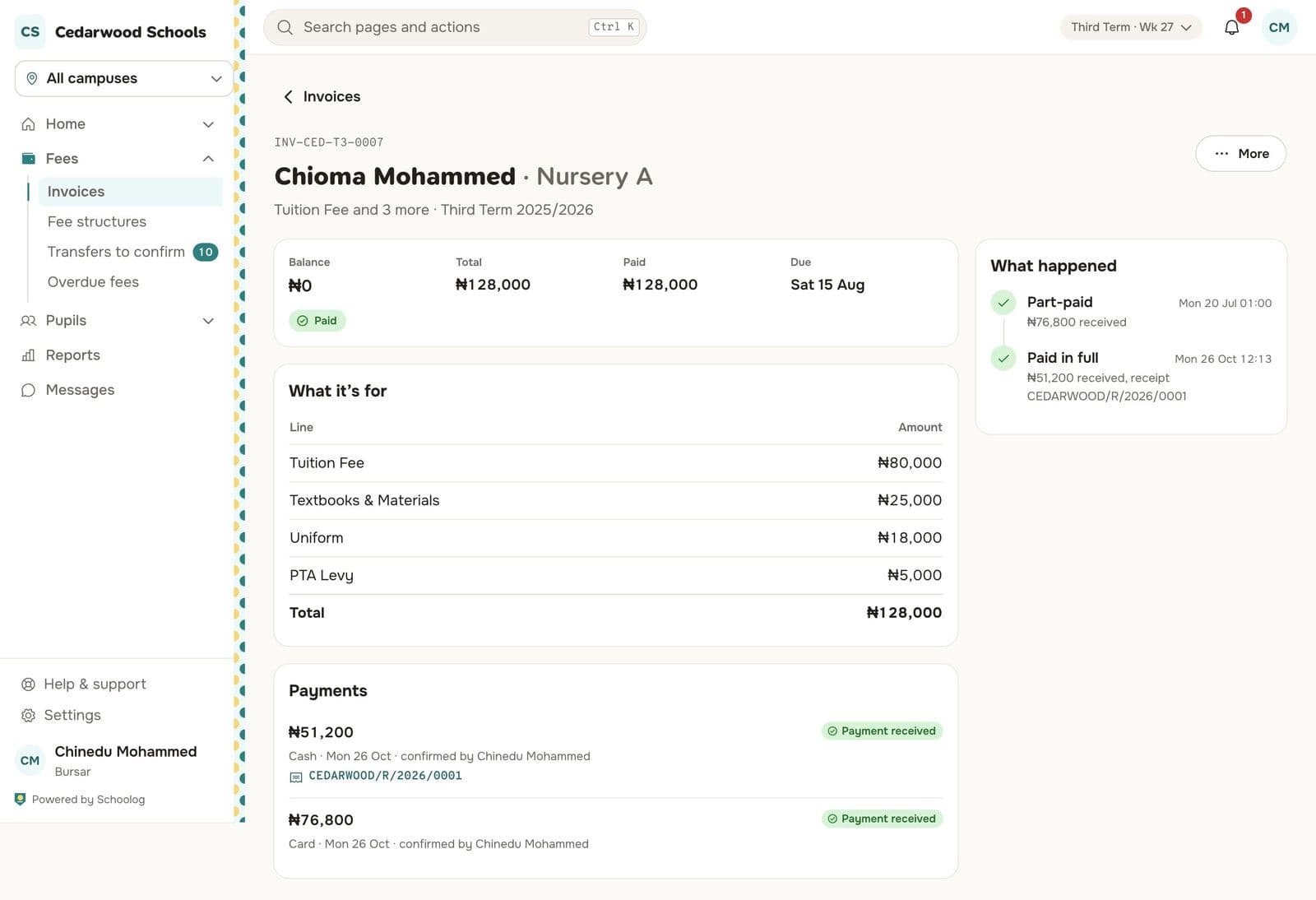
Ask a bursar what takes the most time and the answer is rarely "collecting fees". It is everything around it: typing invoices, matching transfers to the bank statement, writing receipts, and sending the same reminder to the same families every week.
The new fees section in Schoolog is built to take that work away.
Raise a term's invoices in one go
Fee structures say what each level pays each term: tuition, books, uniform, PTA levy, and optional items like the bus or lunch that only some families take. When the term starts, the bursar picks a campus and a level and raises every invoice at once.
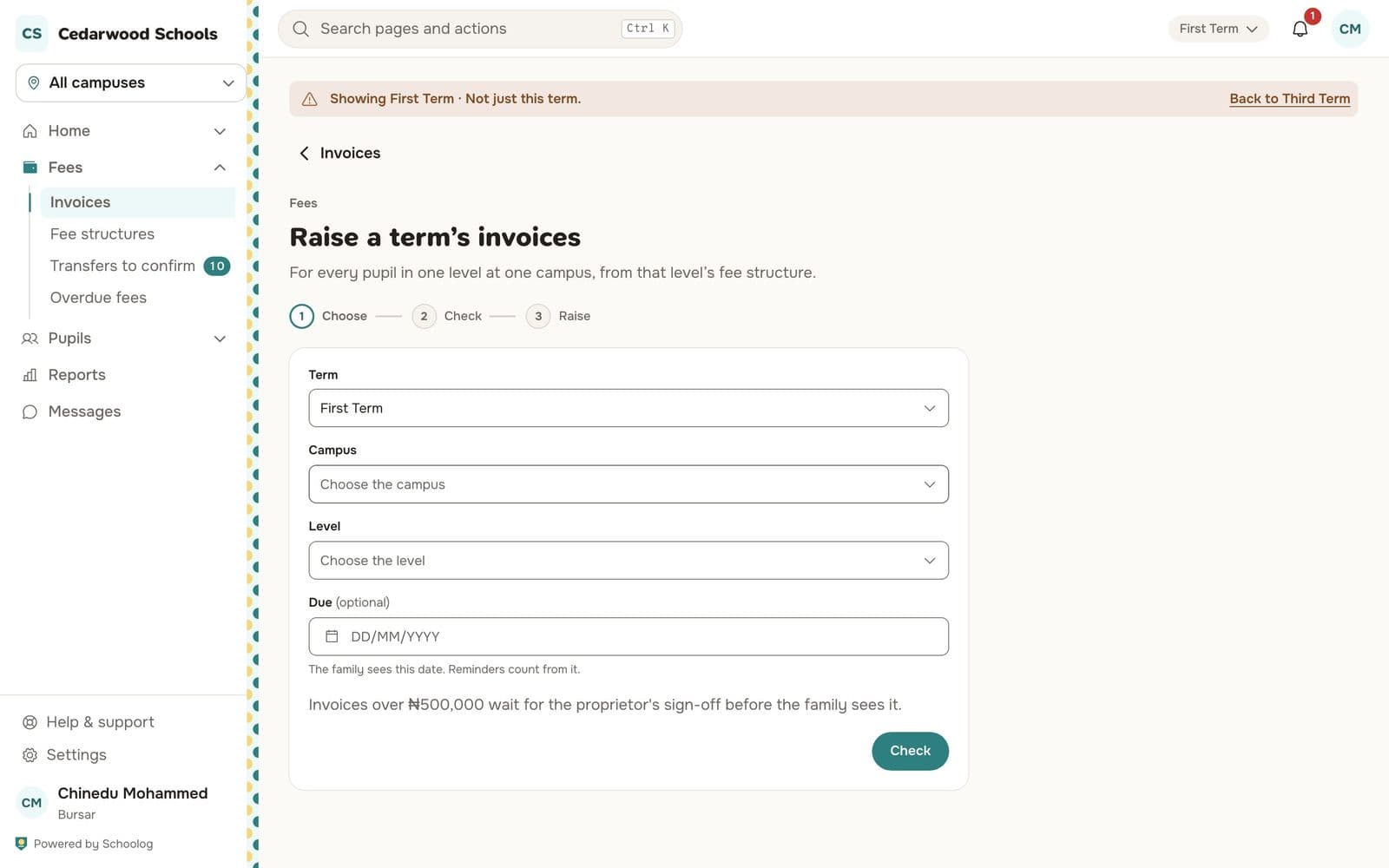
Schoolog shows a check first: how many invoices, how much in total, and any pupil it will skip and why. Large runs can wait for the proprietor's sign-off before families see them. Every invoice gets its own number, and every change to it is on its trail.
Families pay from their phone
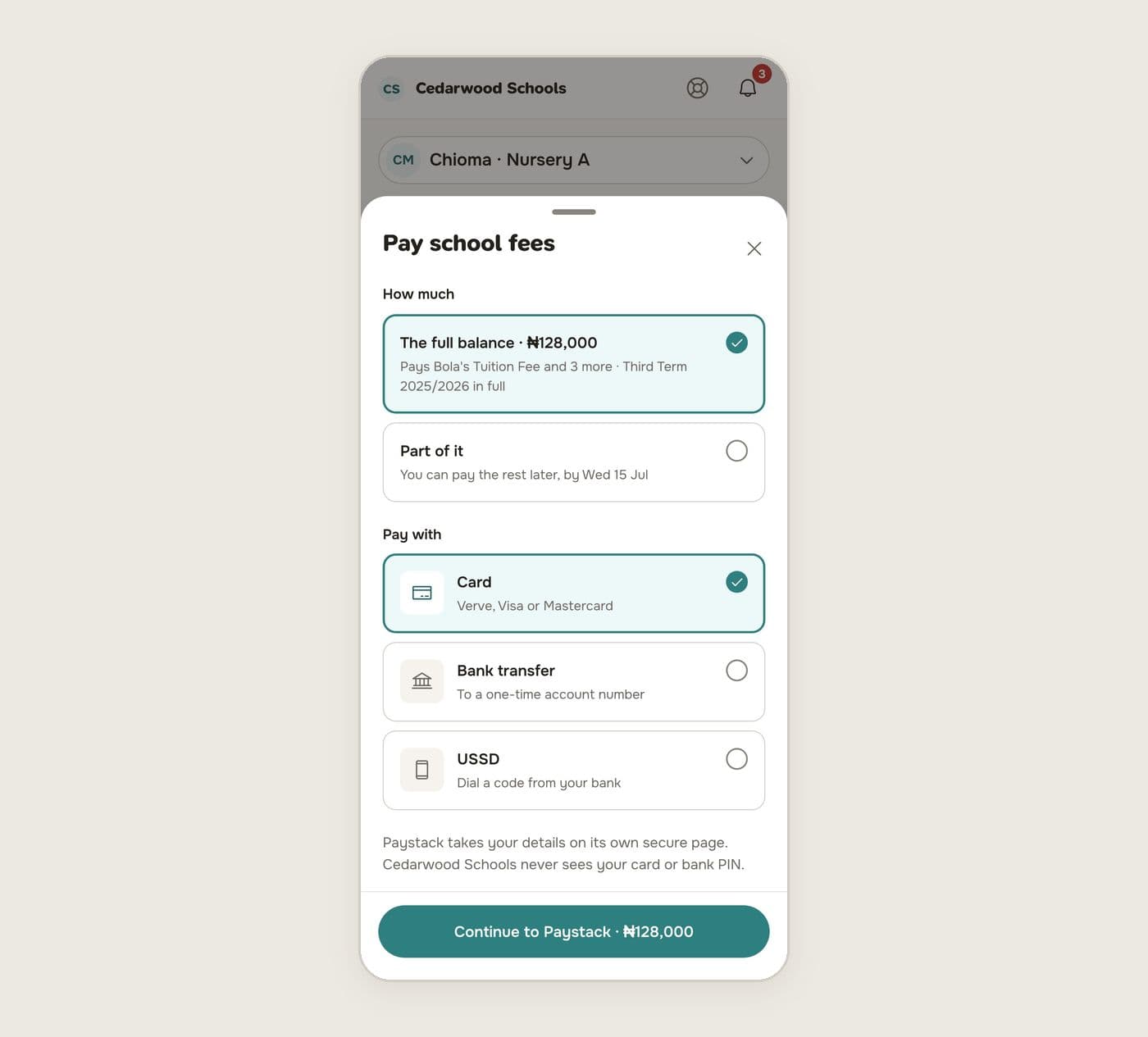
Parents see what is owed for each child and press Pay. They can pay the full balance or part of it, by card, bank transfer to a one-time account number, or USSD. Payment goes through your school's own Paystack account, so the money goes straight to the school. Schoolog never sees card details or bank PINs.
When the payment comes through, the invoice is updated, the receipt is issued and the family is told. There is nothing for the bursar to do.
Transfers the family tells you about
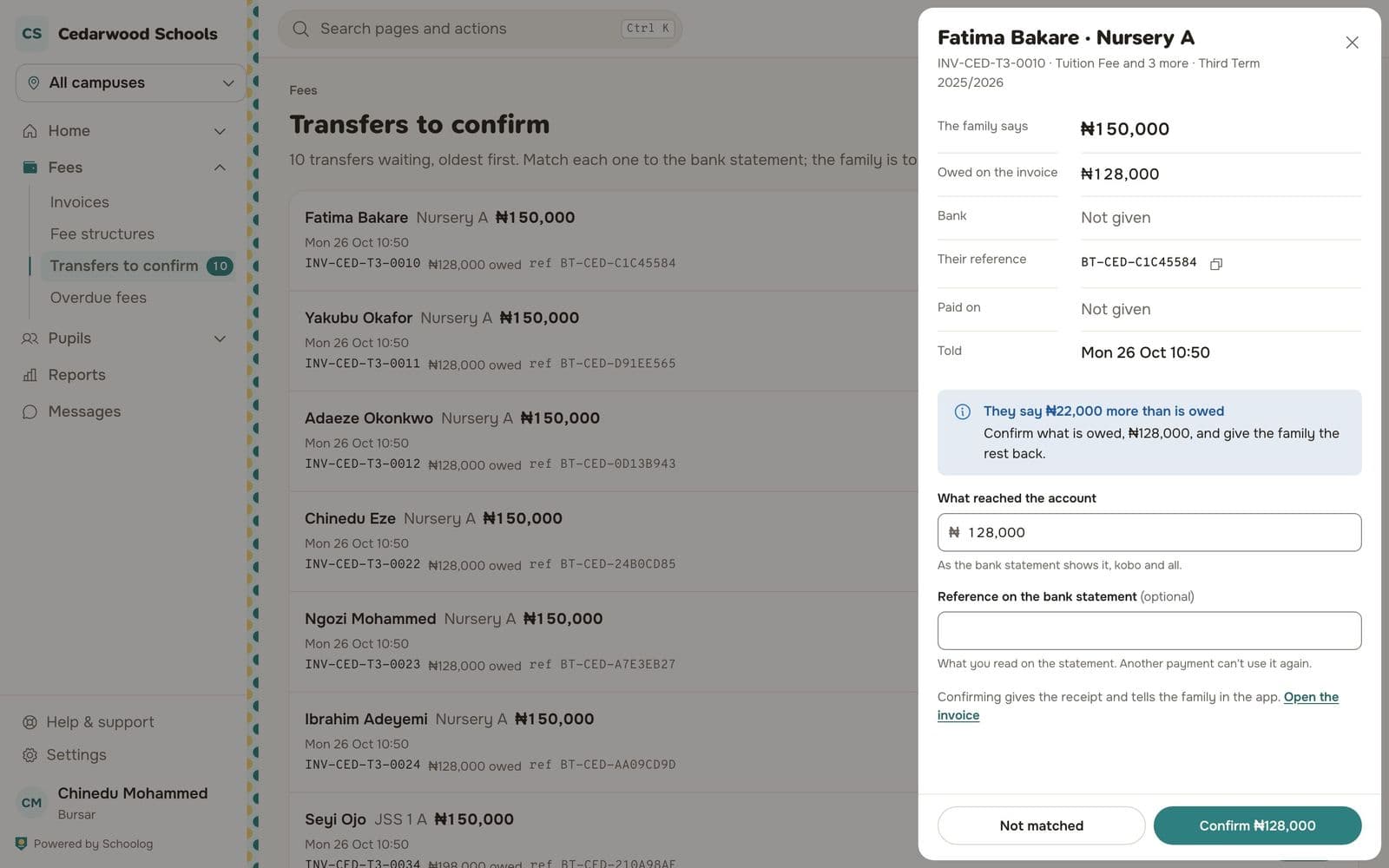
Many families still pay by transfer into the school's account. Now they can tell the school in the app: which invoice, how much, when, from which bank and the reference.
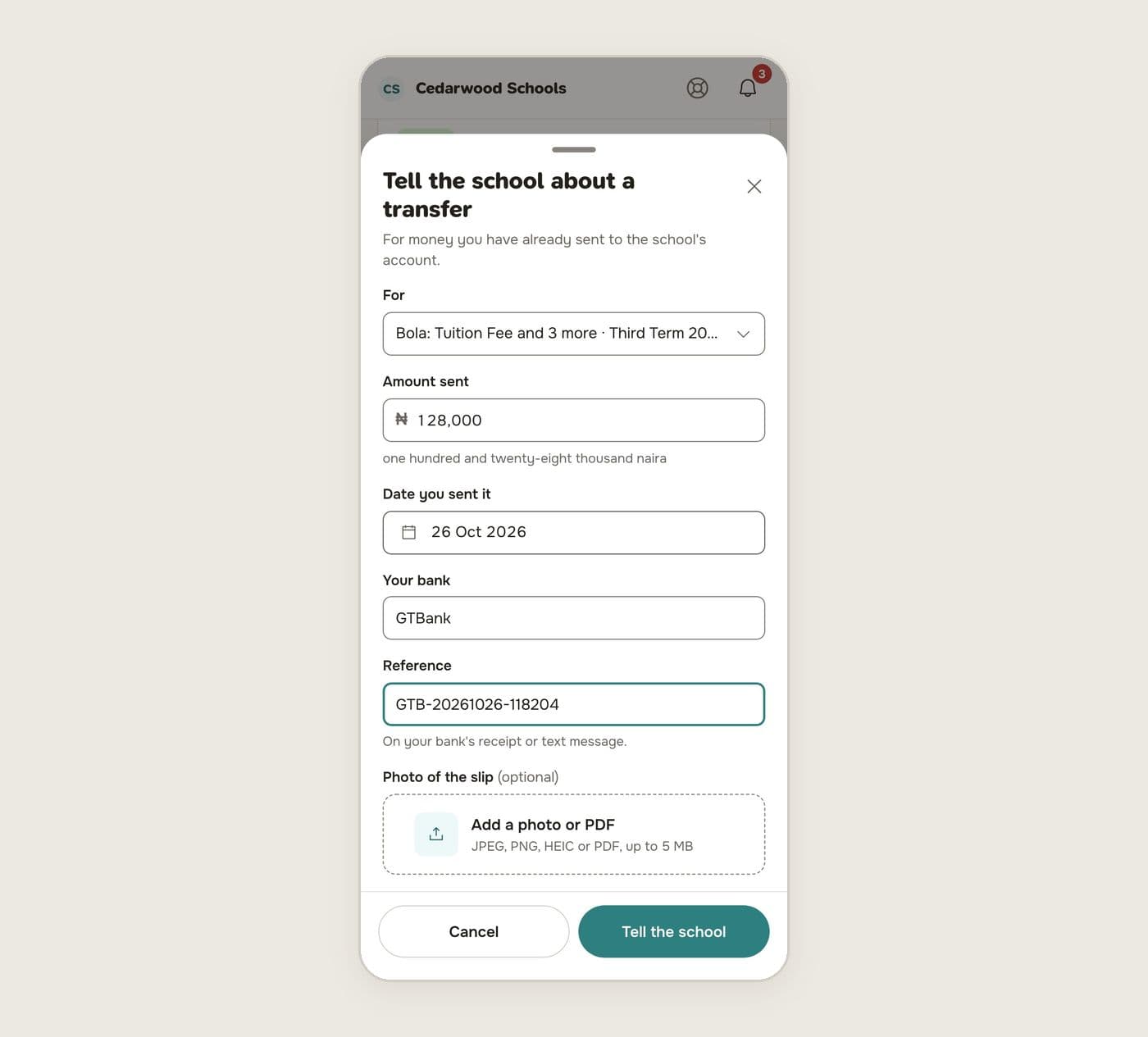
The bursar sees these in Transfers to confirm, oldest first, and matches each one to the bank statement. If the family sent more than was owed, Schoolog says so and suggests confirming what was owed and giving the rest back.
Cash and POS are still welcome
Cash at the office, a bank teller or the school's POS machine: the bursar records it on the invoice in a few seconds. Schoolog checks the amount against the balance, shows a summary before saving, and issues the receipt.
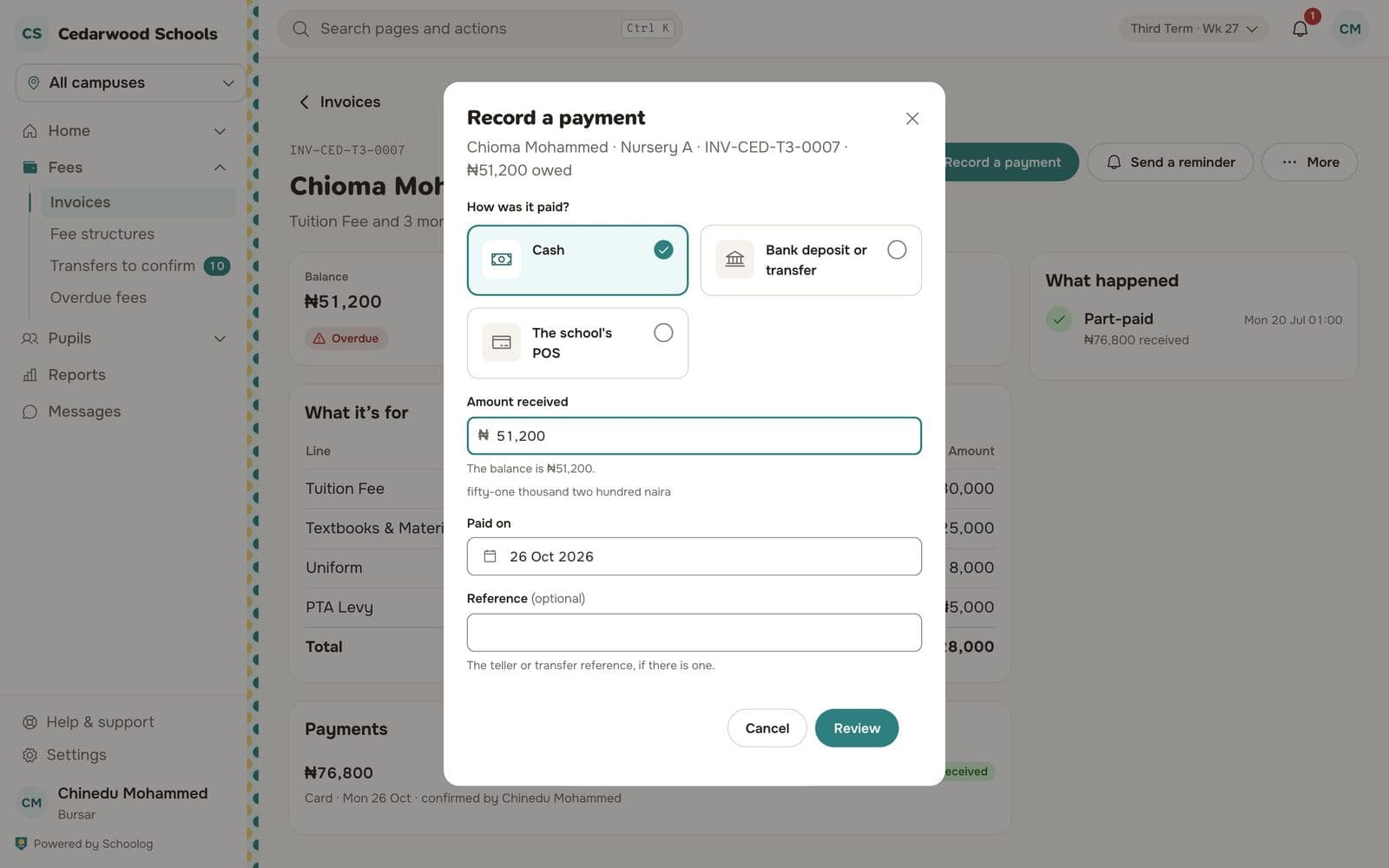
A receipt can be voided if it was a mistake, but never deleted, so the record always adds up.
Reminders that go out on their own
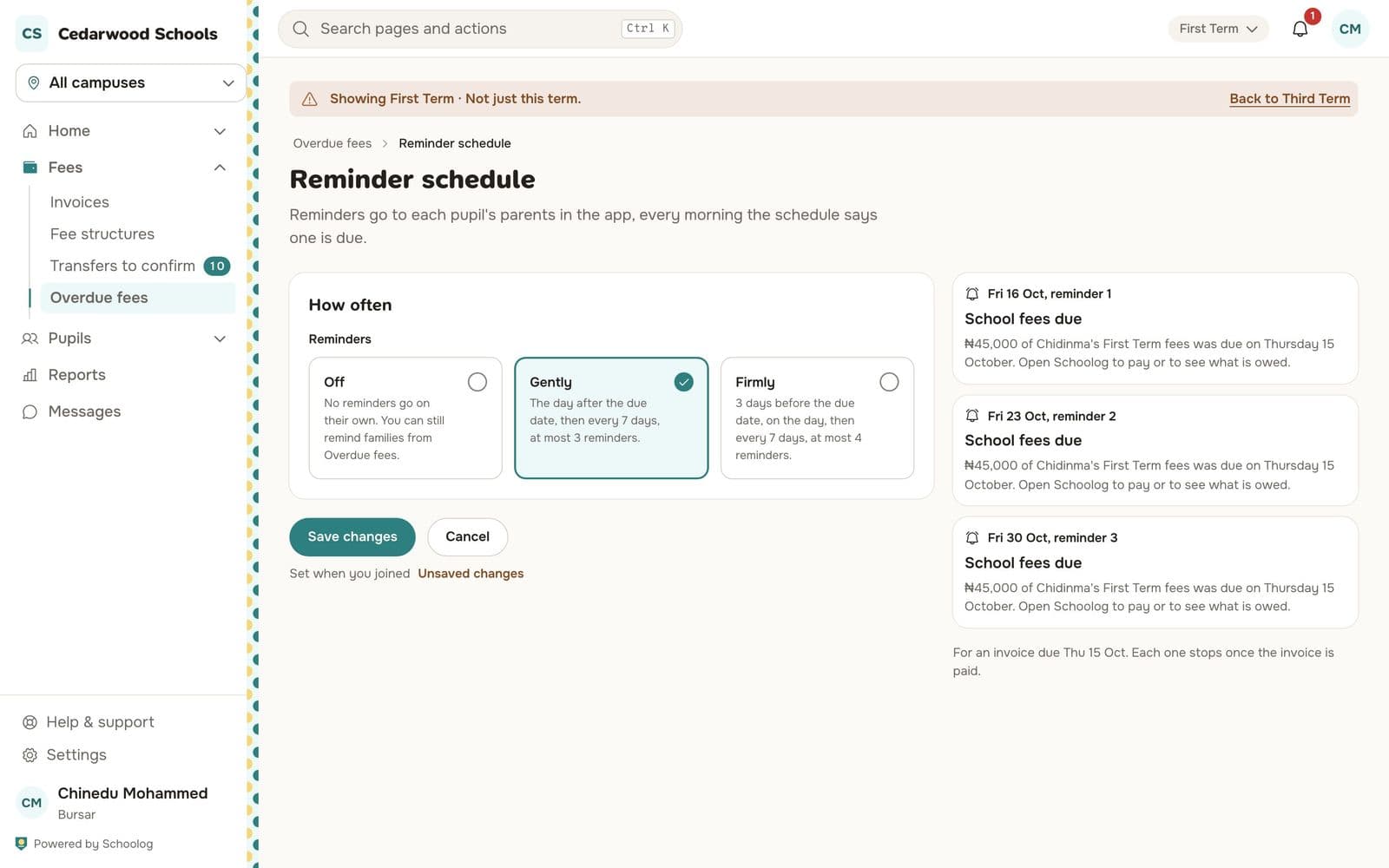
Choose how firmly to remind families, and Schoolog sends reminders before and after the due date, on the schedule you set. The Overdue fees list shows who is behind and by how much, so the office can follow up on the few who need a call.
The whole picture
The fees overview shows what has been raised, collected and is still owed this term, by campus and level. Reports can be exported for the accountant. Families get a statement they can print or save as a PDF.
To get started, read Set up fee structures, Raise a term's invoices and Turn on online payments.