Set up fee structures
Say what each level pays each term, including optional items families take up.
Updated
A fee structure is what each level pays in a term. Invoices are raised from it.
Go to Fees, Fee structures and choose the term.
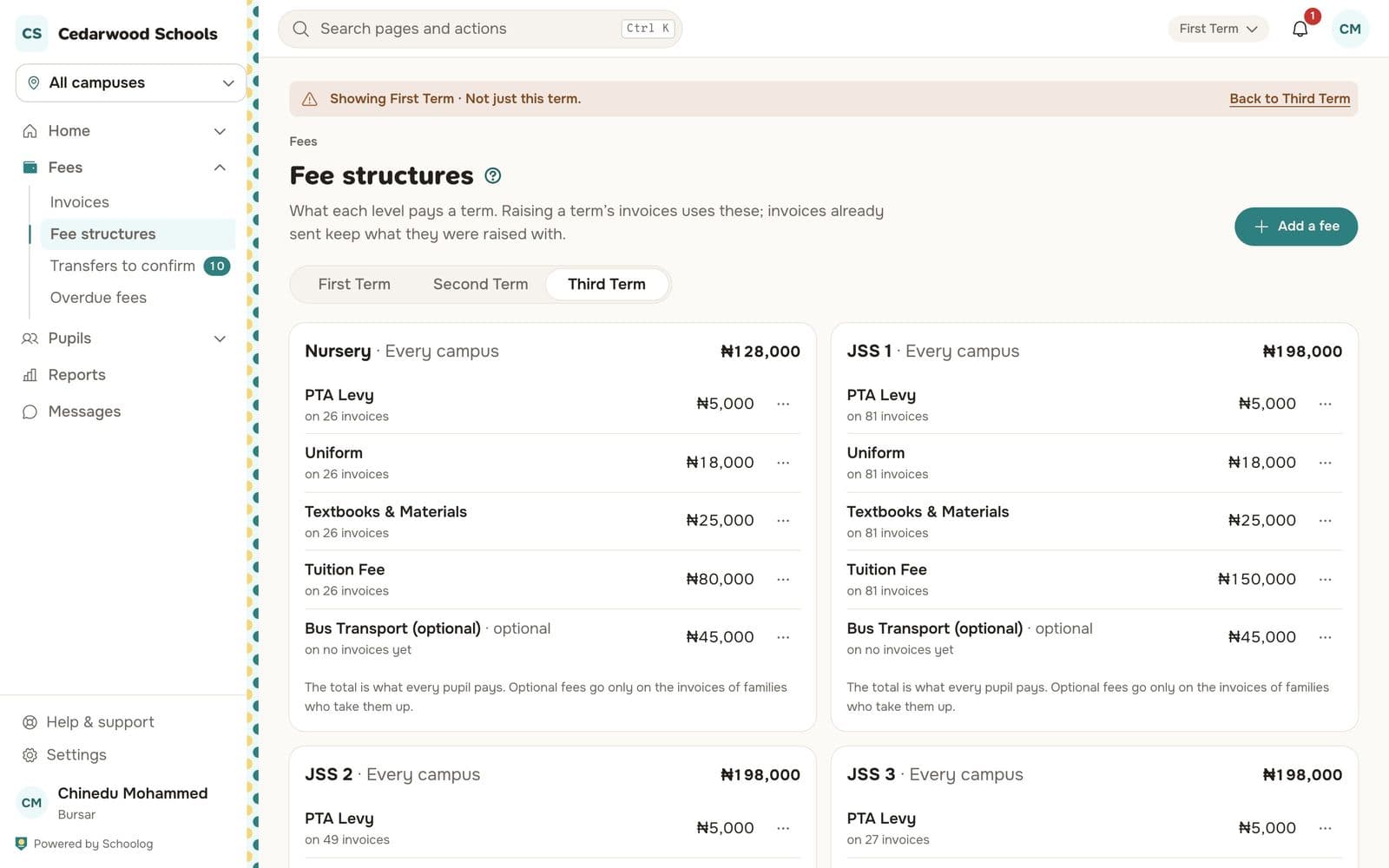
Add a fee
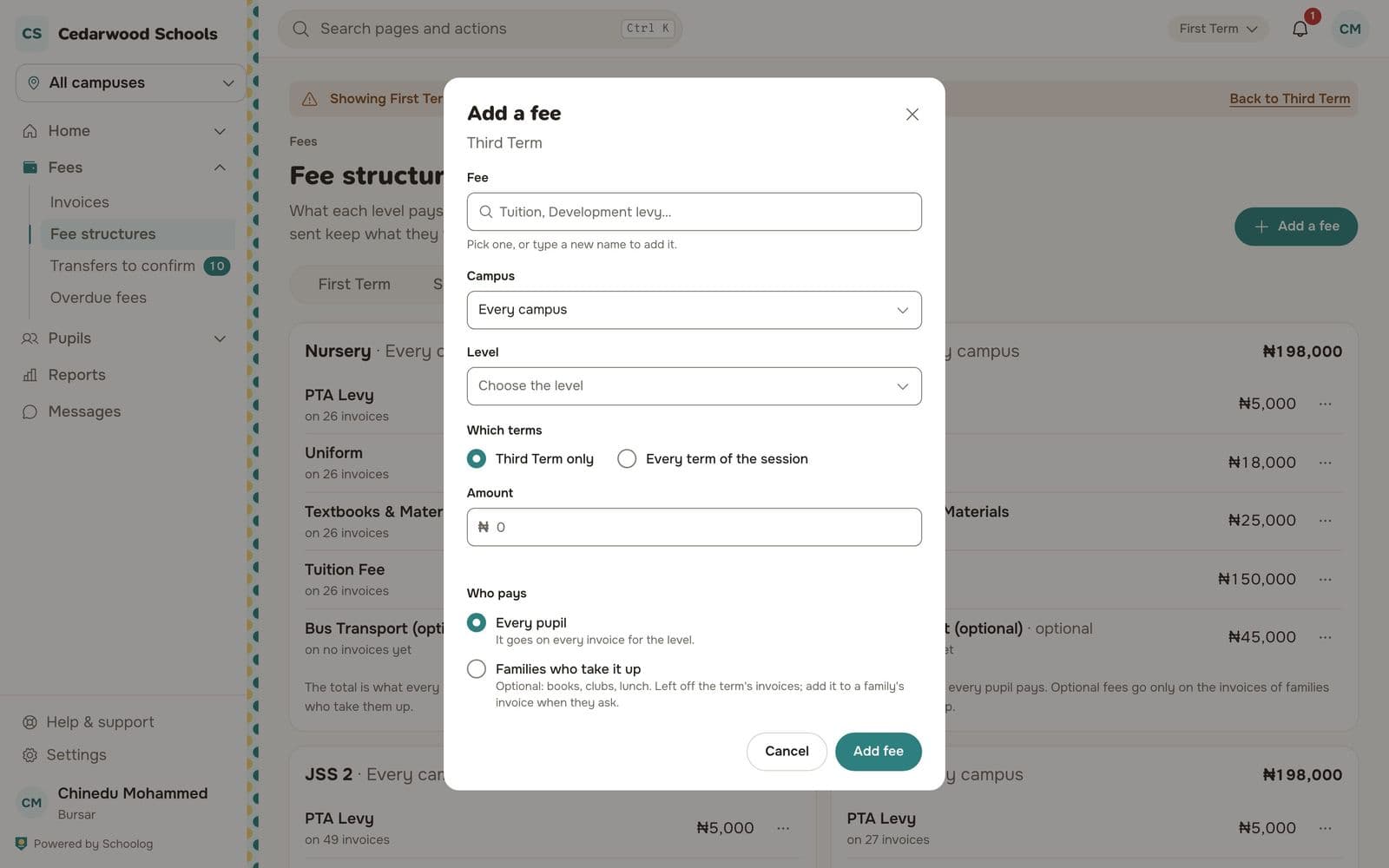
- Press Add a fee.
- Fee: pick one, such as Tuition or Development levy, or type a new name to add it.
- Campus: every campus, or one.
- Level: the level it applies to.
- Which terms: this term only, or every term of the session.
- Amount in naira.
- Who pays:
- Every pupil: it goes on every invoice for the level.
- Families who take it up: optional, such as books, clubs or lunch. It's left off the term's invoices and added to a family's invoice when they ask.
- Press Add fee.
Each level shows its total, which is what every pupil pays. Optional fees are shown beside it.
Changing a fee
Change a fee from its … menu. Invoices already raised keep what they were raised with. A fee that is on invoices can't be deleted.