Overdue fees and reminders
See who is behind, remind them, and choose how often reminders go out on their own.
Updated
Overdue fees
Go to Fees, Overdue fees. The top shows how much is overdue by how long: 1 to 30 days, 31 to 60 days and over 60 days. Each invoice shows the pupil, how long overdue, what's owed and when they were last reminded.
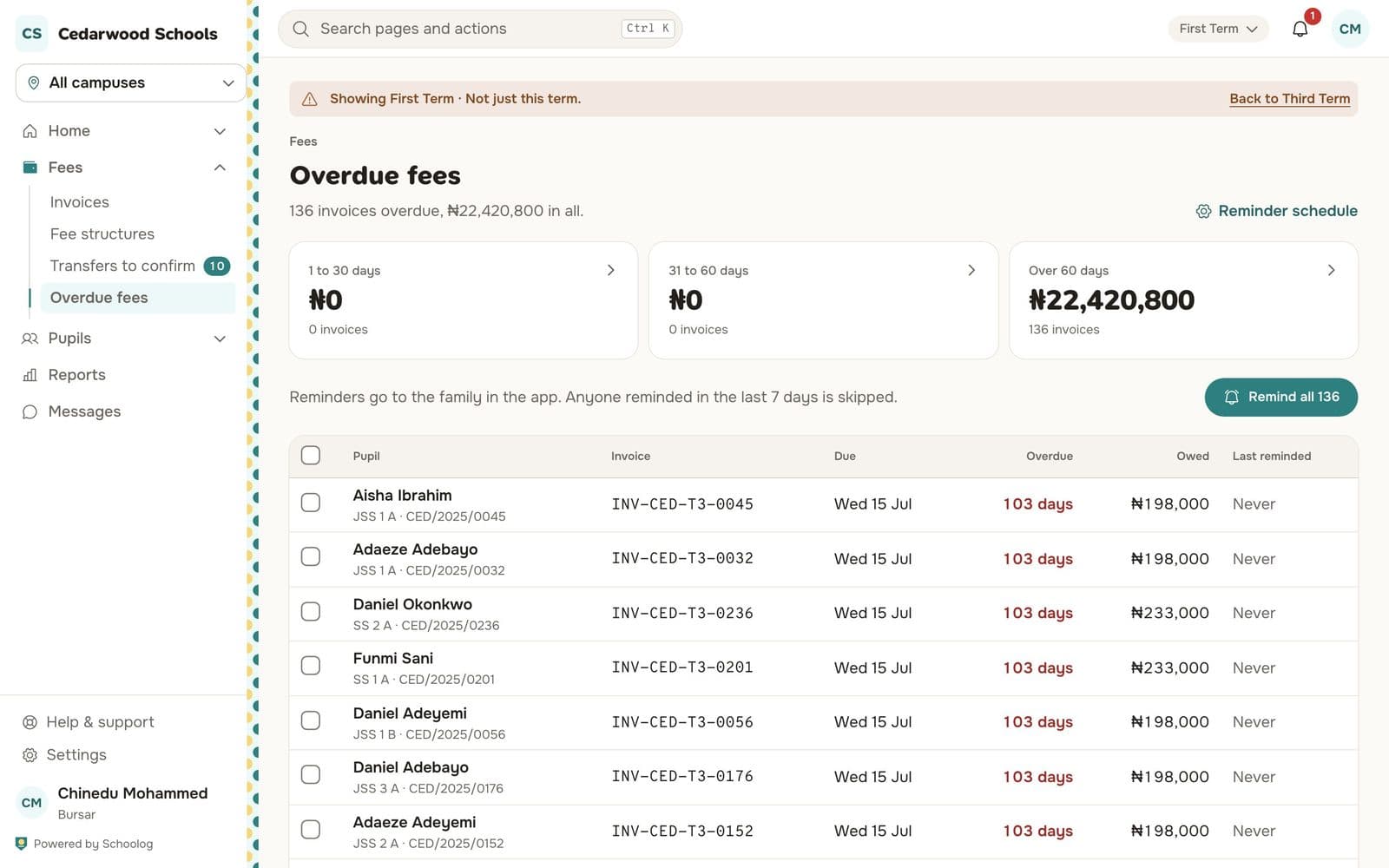
Tick invoices and press Remind, or press Remind all. Anyone reminded in the last 7 days is skipped.
The reminder schedule
Press Reminder schedule. Choose how often reminders go on their own:
- Off: nothing goes on its own. You can still remind families from Overdue fees.
- Gently: the day after the due date, then every 7 days, at most 3 reminders.
- Firmly: 3 days before the due date, on the day, then every 7 days, at most 4 reminders.
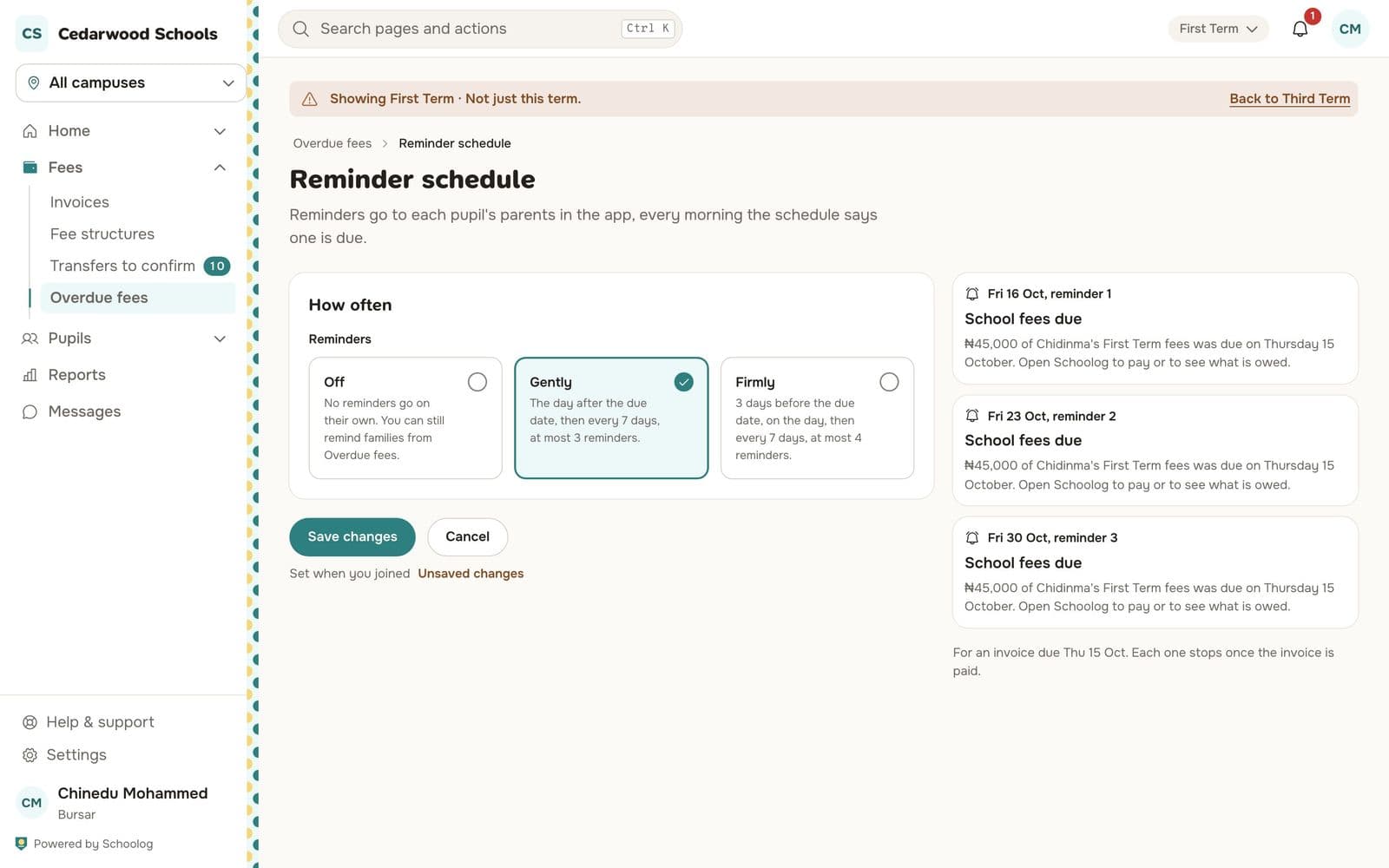
The right side shows what families will be sent and when. Reminders go to each pupil's parents in the app, in the morning. Each one stops once the invoice is paid.