Pay school fees online
For parents: pay all or part of an invoice by card, bank transfer or USSD.
Updated
- In the parent app, press Fees.
- Find the invoice and press Pay with the amount.
- Under How much, choose The full balance, or Part of it and type the amount.
- Under Pay with, choose Card, Bank transfer (to a one-time account number) or USSD (dial a code from your bank).
- Press Continue to Paystack and follow the steps there.
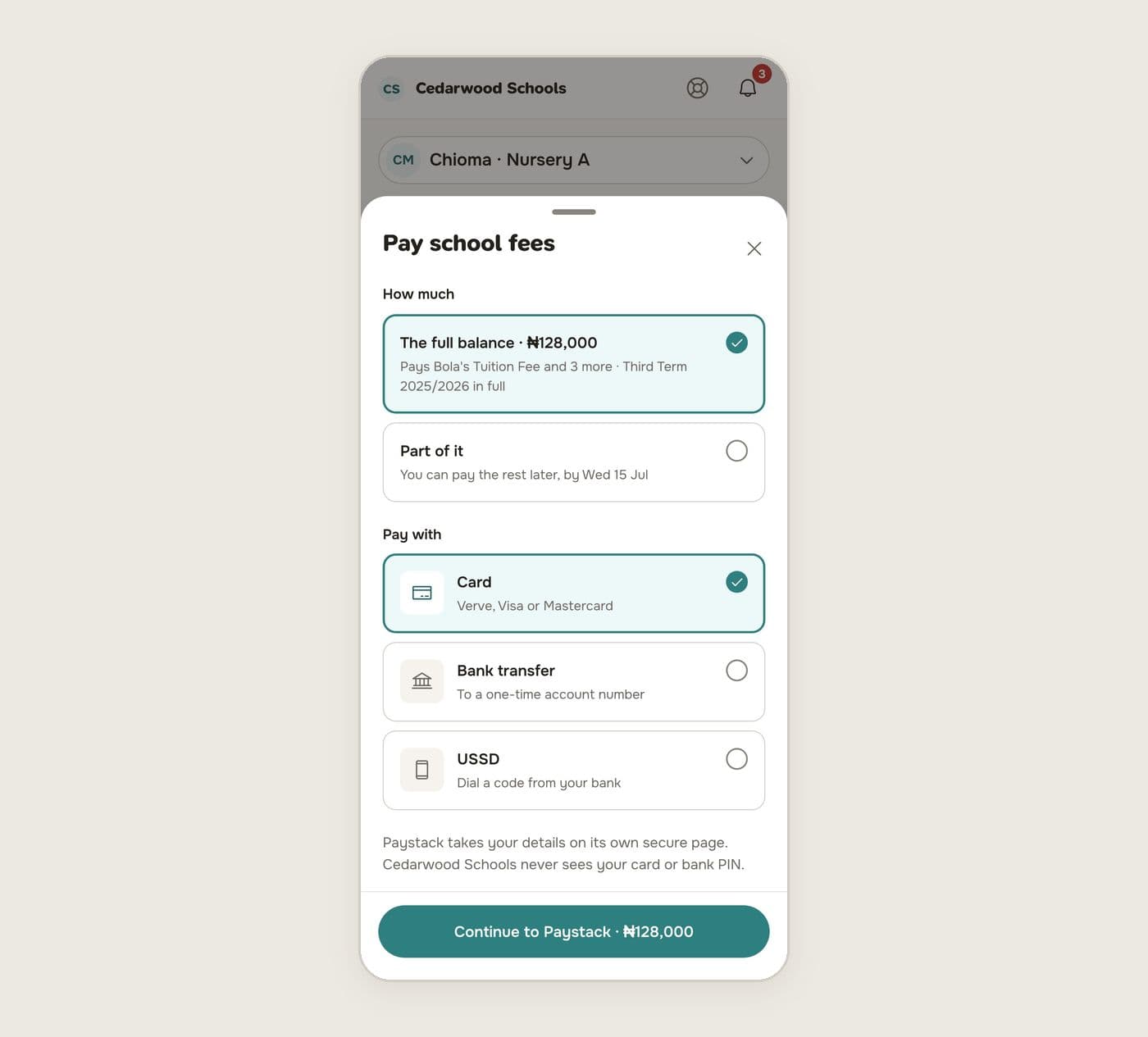
Paystack takes your details on its own secure page. The school never sees your card or bank PIN.
After paying
You come back to Schoolog. You'll see the receipt, and any report card the payment released. The invoice shows as paid, or with the new balance.
If you left Paystack before paying, Schoolog tells you and offers to try again or pay another way. If the payment is still being confirmed, the page waits and updates by itself.