Set up routes and stops
Draw each route's stops and times for the morning and afternoon runs, and set its fare.
Updated
Go to Transport, Routes and press New route.
- Give the route a name and choose its campus.
- Add the stops in order, for the morning run. Each stop has a name and the time the bus gets there.
- Switch to Afternoon run and check the stops and times for the trip home.
- Save.
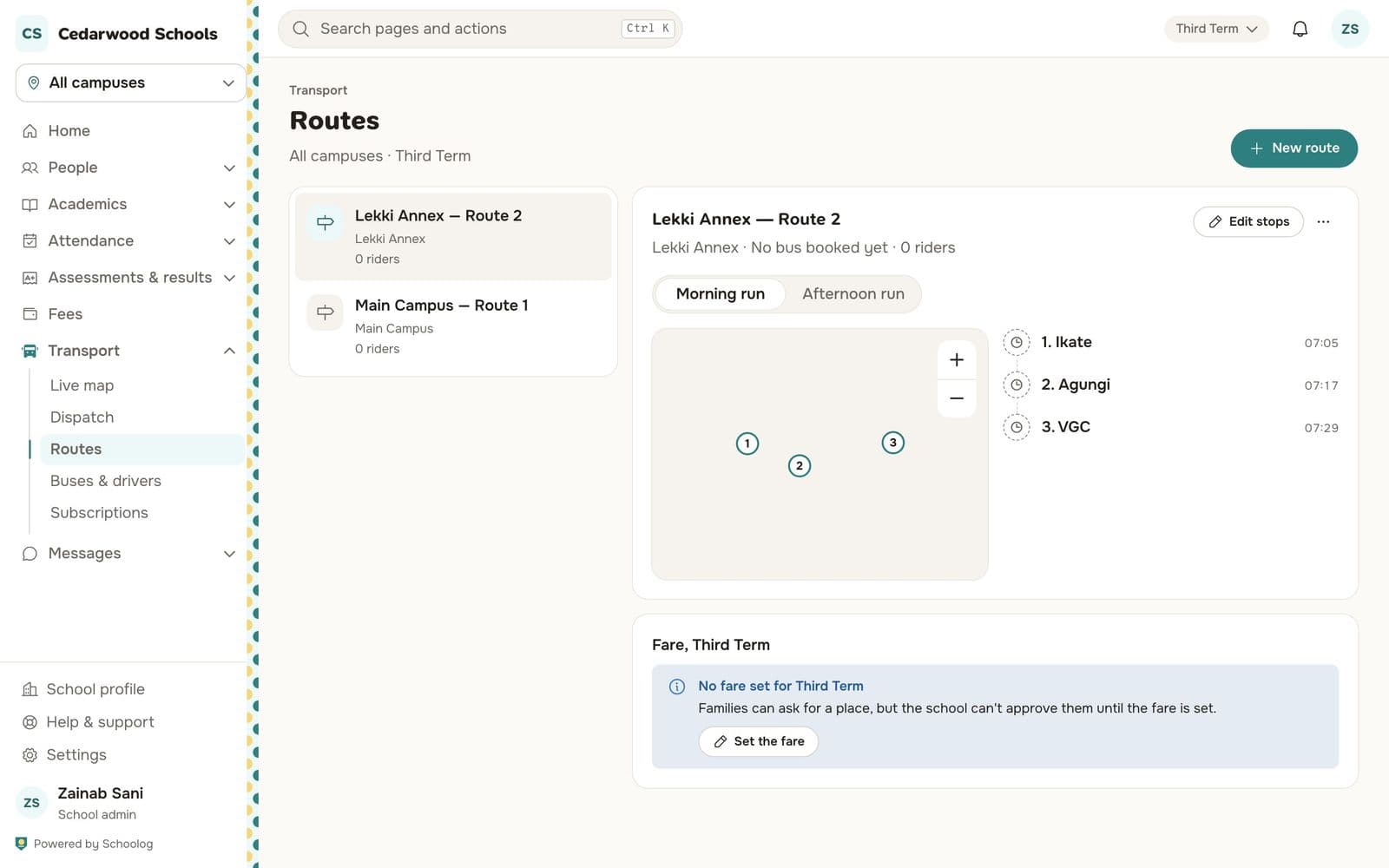
Press Edit stops to change them later.
The fare
Each route has a fare for the term, under Fare. Press Set the fare. Families can ask for a place before the fare is set, but the school can't approve them until it is.
There's no part-term price: a family that joins mid-term pays the term's fare.