Tell the school about a transfer
For parents: if you paid into the school's bank account, tell the school so it can send your receipt.
Updated
- In the parent app, press Fees.
- Press Tell the school about a transfer.
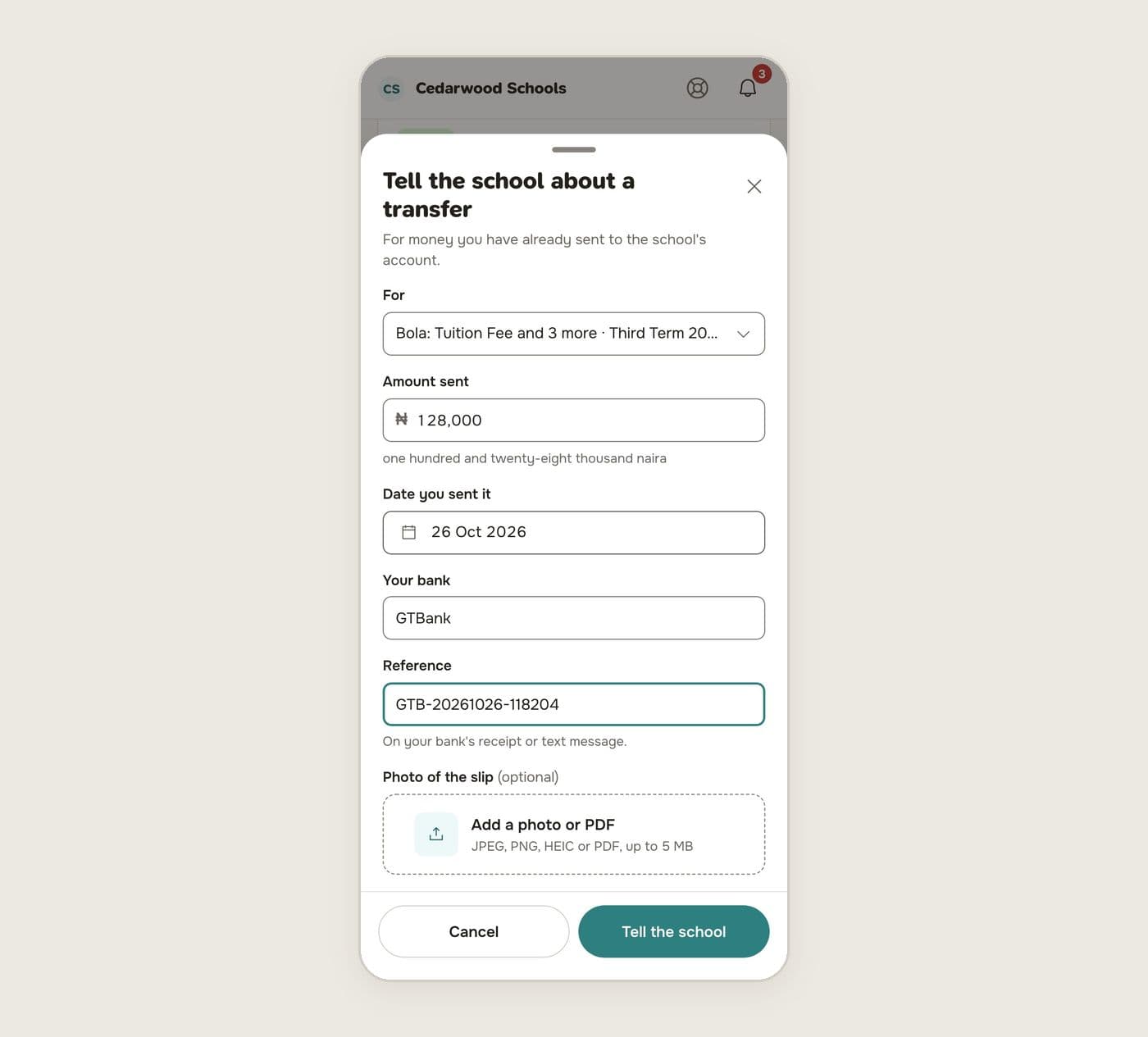
- Under For, choose the invoice.
- Type the amount sent, the date you sent it, your bank and the reference on your bank's receipt or text message.
- Add a photo of the slip if you have one (JPEG, PNG, HEIC or PDF, up to 5 MB).
- Press Tell the school.
The bursar matches it to the school's bank statement. When it's confirmed, you get the receipt in the app. If they can't find it, you're told why and can tell the school again with the right details.