Confirm transfers families told you about
Match each transfer a family told the school about to your bank statement.
Updated
When a family pays by transfer into the school's account, they can tell the school in the app. These wait in Fees, Transfers to confirm, oldest first.
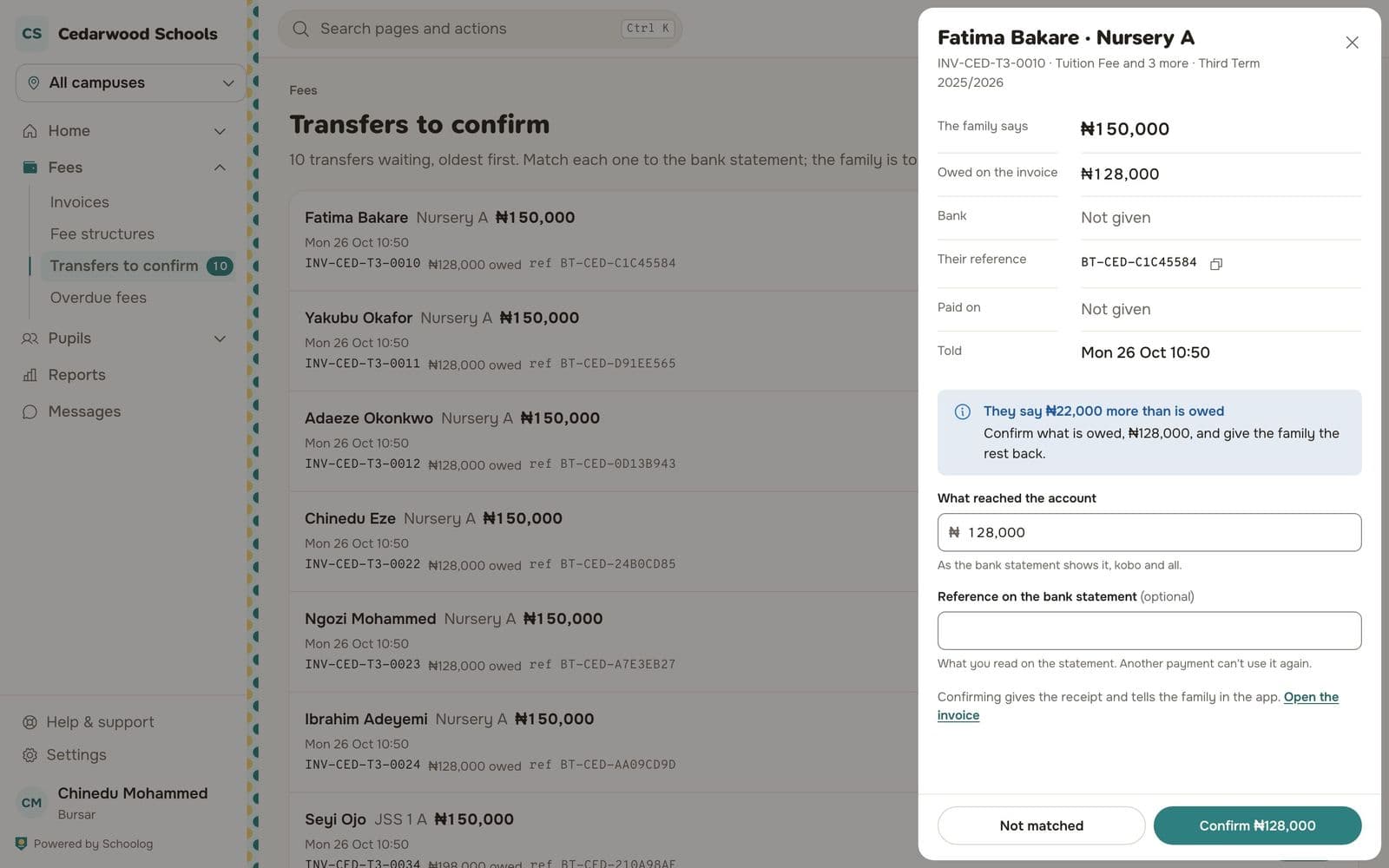
- Press Match on a transfer.
- Compare what the family says (amount, bank, reference, date) with your bank statement.
- Under What reached the account, type the amount as the statement shows it.
- Type the reference on the bank statement. A reference used for another payment can't be used again.
- Press Confirm with the amount.
The family gets the receipt and is told in the app.
More than is owed
If the family says they sent more than the invoice's balance, Schoolog tells you. Confirm what is owed, and give the family the rest back.
Not on the statement
Press Not matched if you can't find the money. Say why; the family is told and can tell the school again with the right details.