Attendance that adds up, from the gate to the classroom
The class register, the gate scan and the bus each tell part of the story. Schoolog puts them together so the office knows who to call before break.
· 2 min read · Emmanuel Okosisi
"Is my child in school?" is the question every parent wants answered without having to ask it. For the school, the answer is spread across three places: the class register, the gate and the bus. Schoolog brings them together.
The register, in a tap
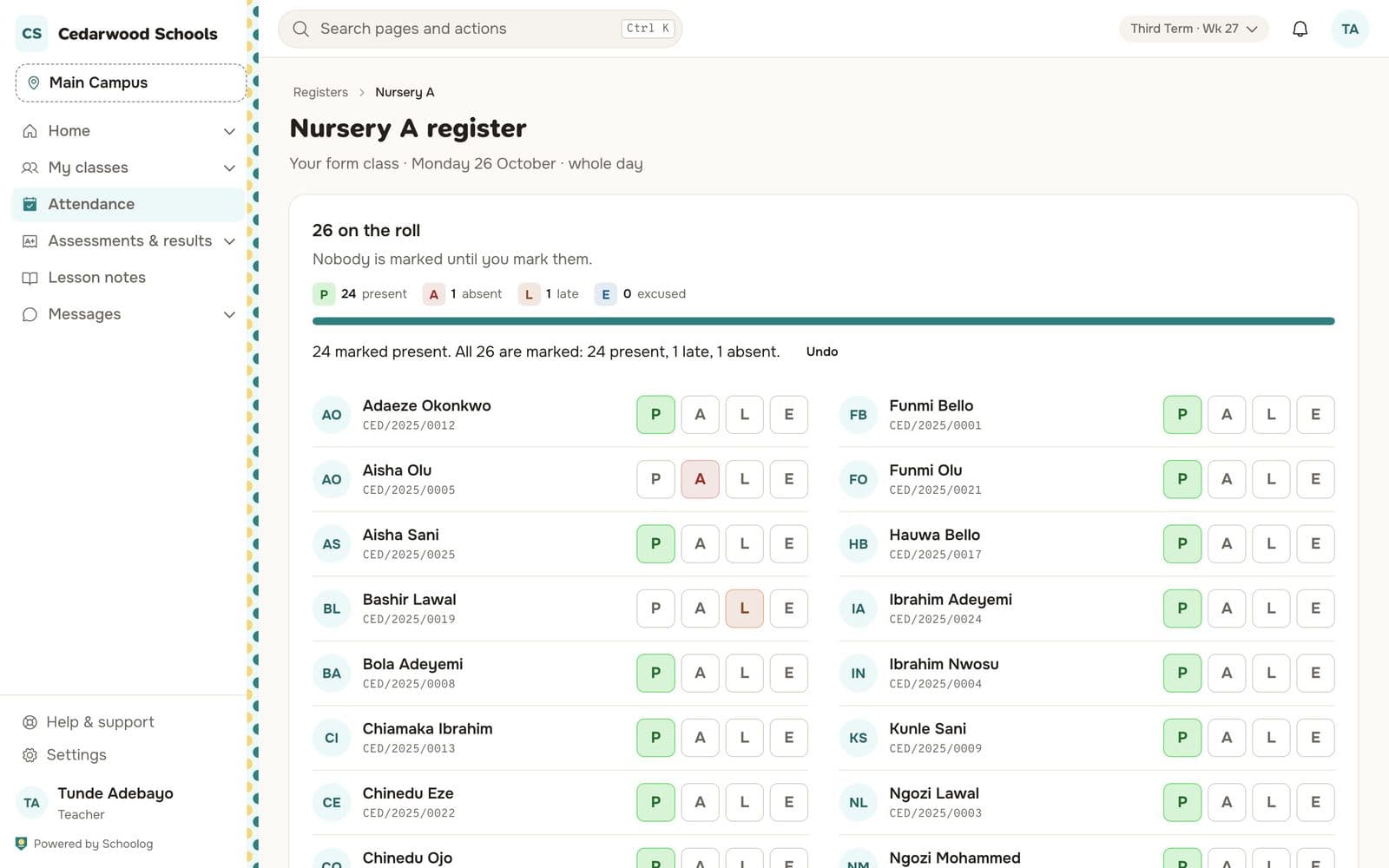
The form teacher opens the register and sees the class with each pupil's name and admission number. Mark the few who are absent or late, then press Mark the other 24 present. Save is ready only when everyone has a mark, so a register is never half-taken.
Secondary schools can take a register every lesson as well as once a day. The register for today stays open to the teacher until midnight. After that, a mark is changed by the office with a reason, and the change is kept in the pupil's record.
The office sees today, as it happens
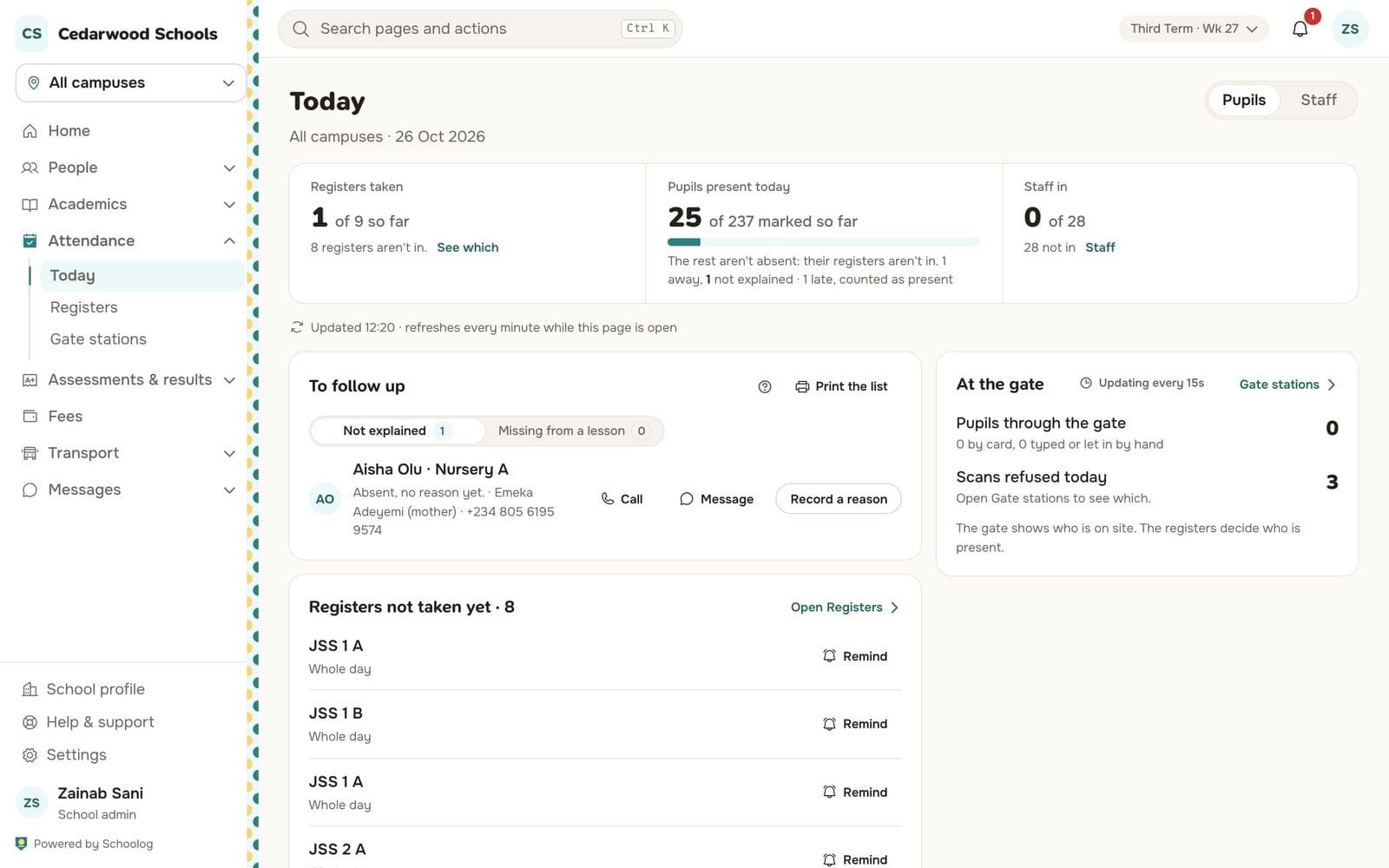
The Today page shows how many registers are taken, how many pupils are in, and which staff have signed in. Under To follow up are the pupils marked absent with no explanation yet, and pupils who were in the morning register but are missing from a lesson. Each one has the guardian's phone number, a button to message them and a way to record the reason.
Registers not taken yet are listed with a Remind button for the teacher.
The gate knows who came in
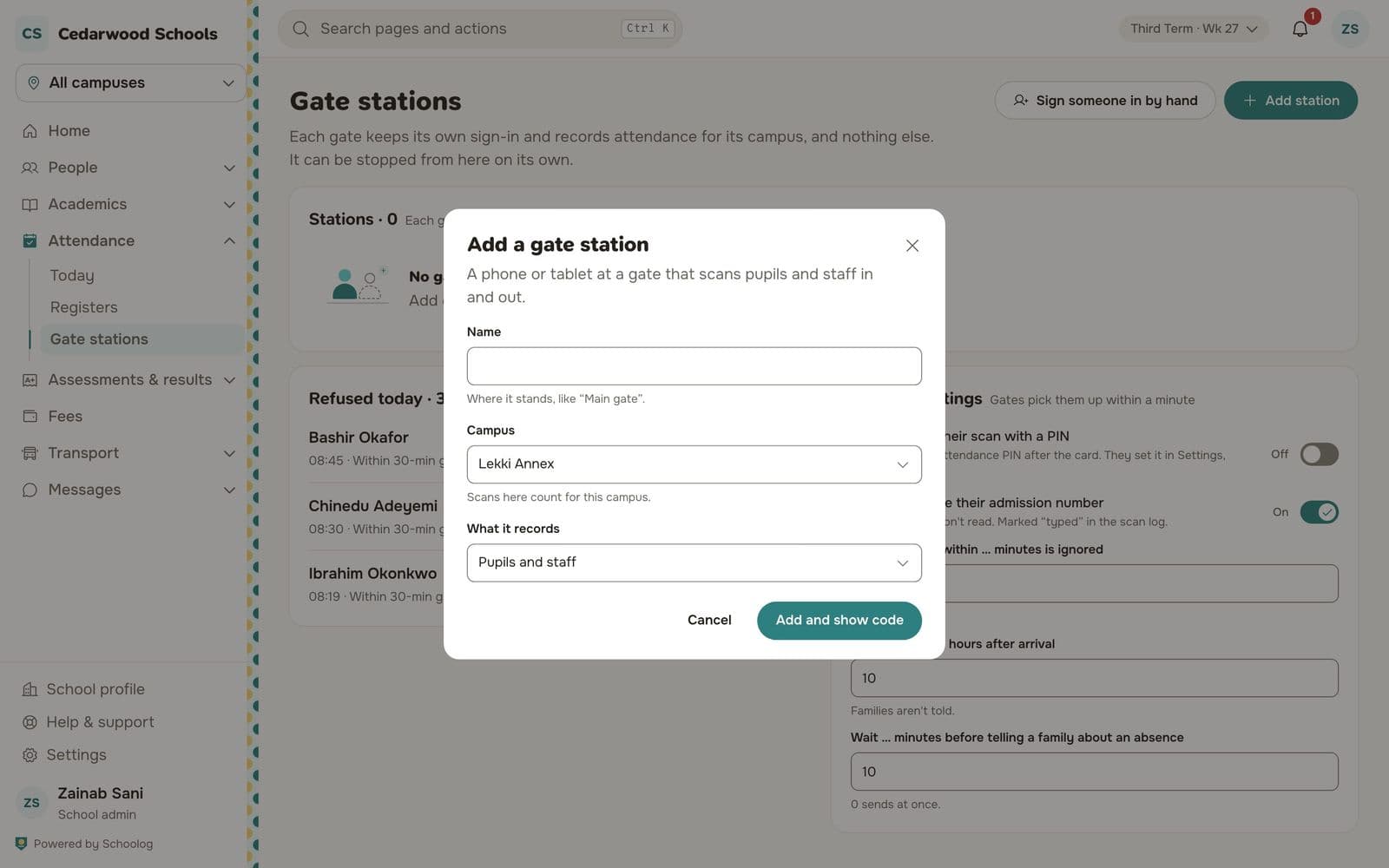
A phone or tablet at the gate becomes a gate station. It scans pupils' and staff ID cards as they come in and leave, and Schoolog shows the time beside the register's mark. If the gate saw a pupil but the register says absent, the office sees both and can ask.
The bus is part of it
If a pupil boarded the school bus this morning but is marked absent, Schoolog shows a hint beside the mark: boarded bus. It is not a verdict; it tells the office where to look first.
Parents see it too
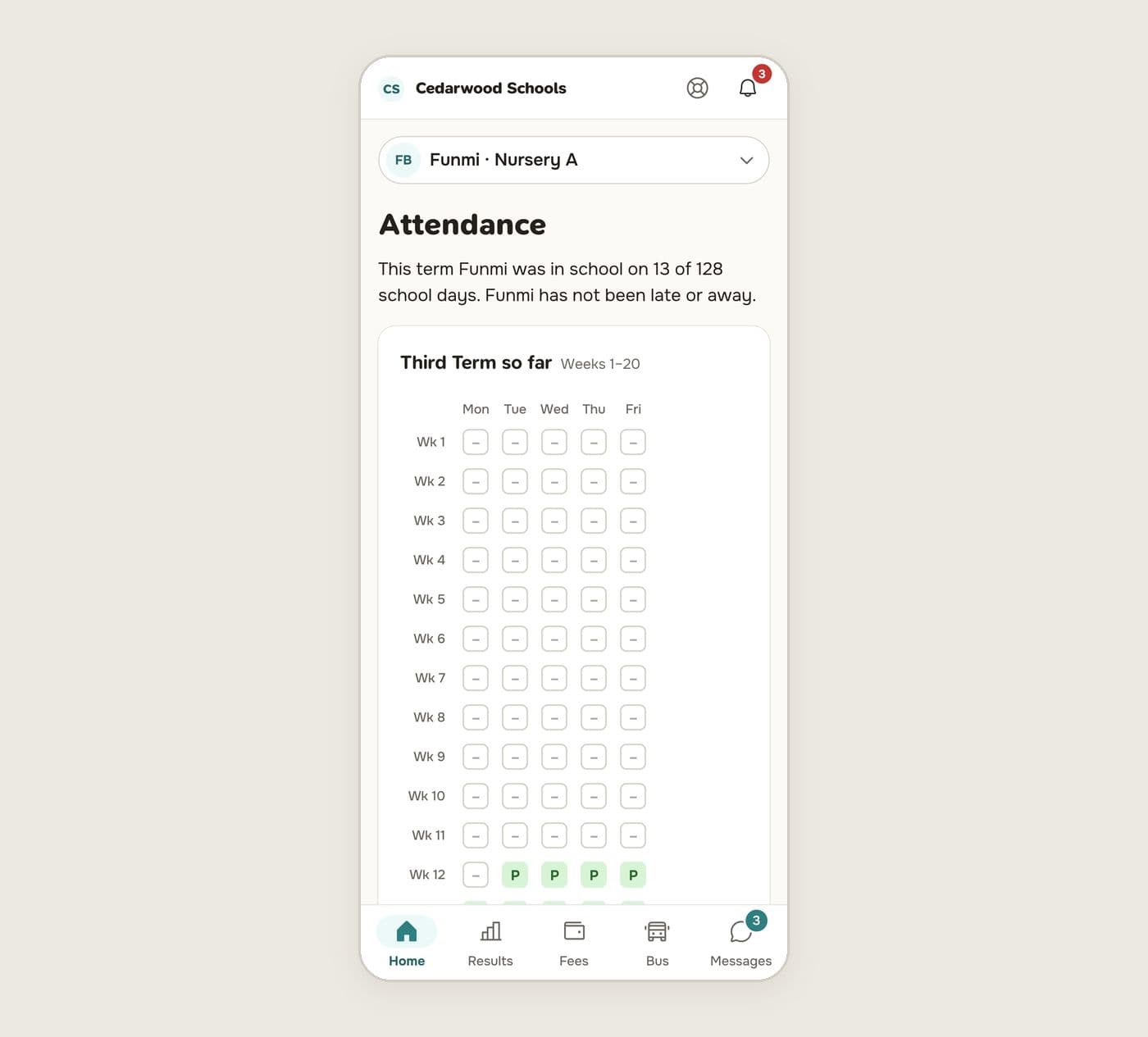
Parents see their child's day on the home screen and the whole term as a simple grid. If their child is marked absent, they can explain why in the app, and the office decides whether it counts as excused.
Read Take the register, Follow up today's absences and Set up a gate station to get going.