Set up a gate station
Turn a phone or tablet into a gate that scans ID cards as pupils and staff arrive and leave.
Updated
A gate station is a phone or tablet with a camera at the school gate. It scans ID cards and records the time.
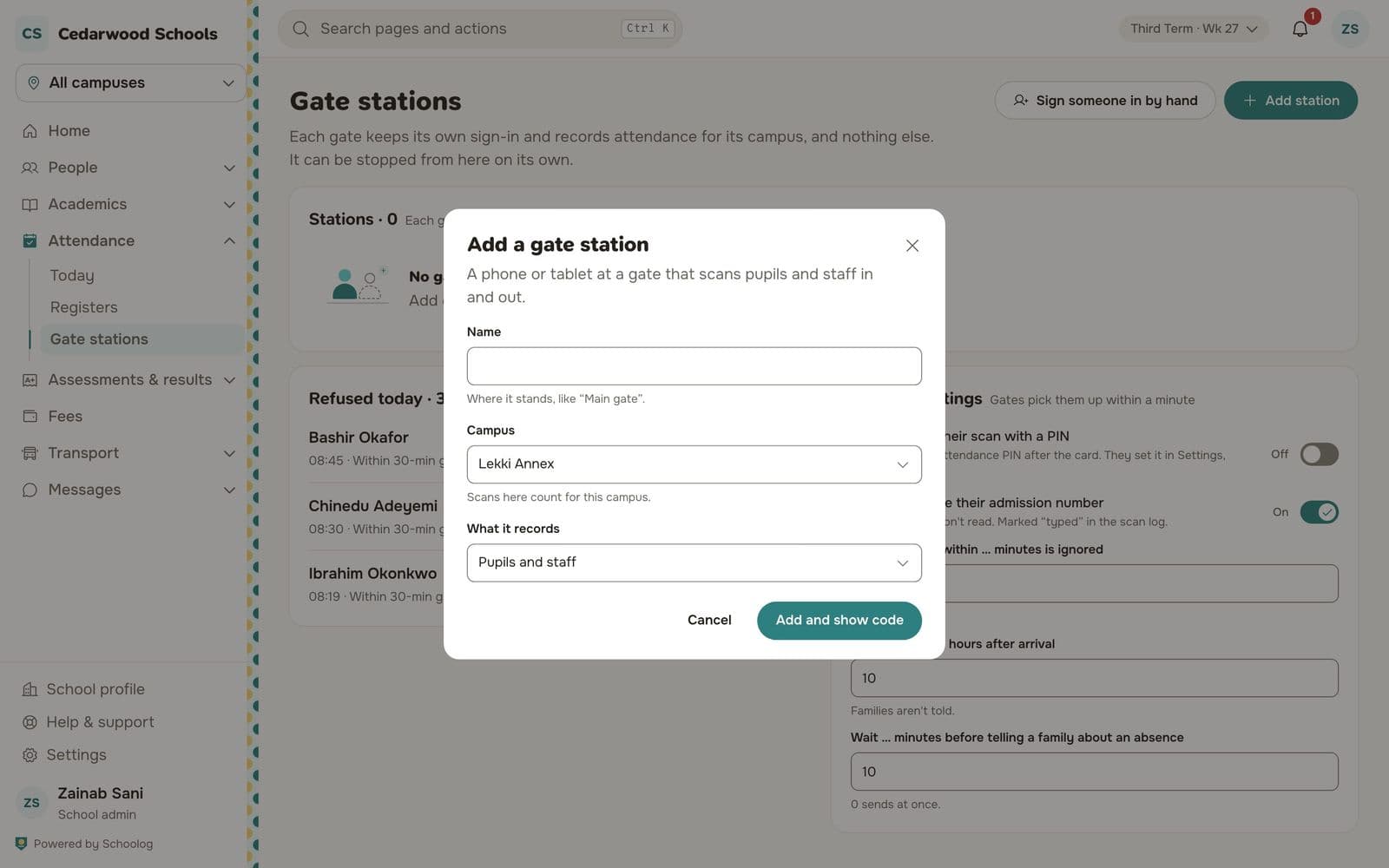
Add the station
- Go to Attendance, Gate stations and press Add station.
- Give it a name, like "Main gate".
- Choose its campus.
- Under What it records, choose pupils, staff, or pupils and staff.
- Press Add and show code. A six-digit code appears. It lasts 15 minutes.
Enrol the device
- On the phone or tablet at the gate, open your school's Schoolog address and go to the station page (or scan the QR shown beside the code).
- Type the six-digit code and press Enrol this device.
- The scanner opens. Allow the camera when asked.
Scanning
Hold an ID card up to the camera. The station shows the name and time. If someone has no card, type their admission number. Staff can confirm with their attendance PIN.
If the connection drops, the station keeps scanning cards and sends them when it is back.
Signing someone in by hand
On the Gate stations page, press Sign someone in by hand for a pupil who came in another way. Give a reason.
Settings
The Gate stations page also sets how long after arrival a second scan is ignored, and how long to wait before telling a family their child hasn't arrived.