Follow up today's absences
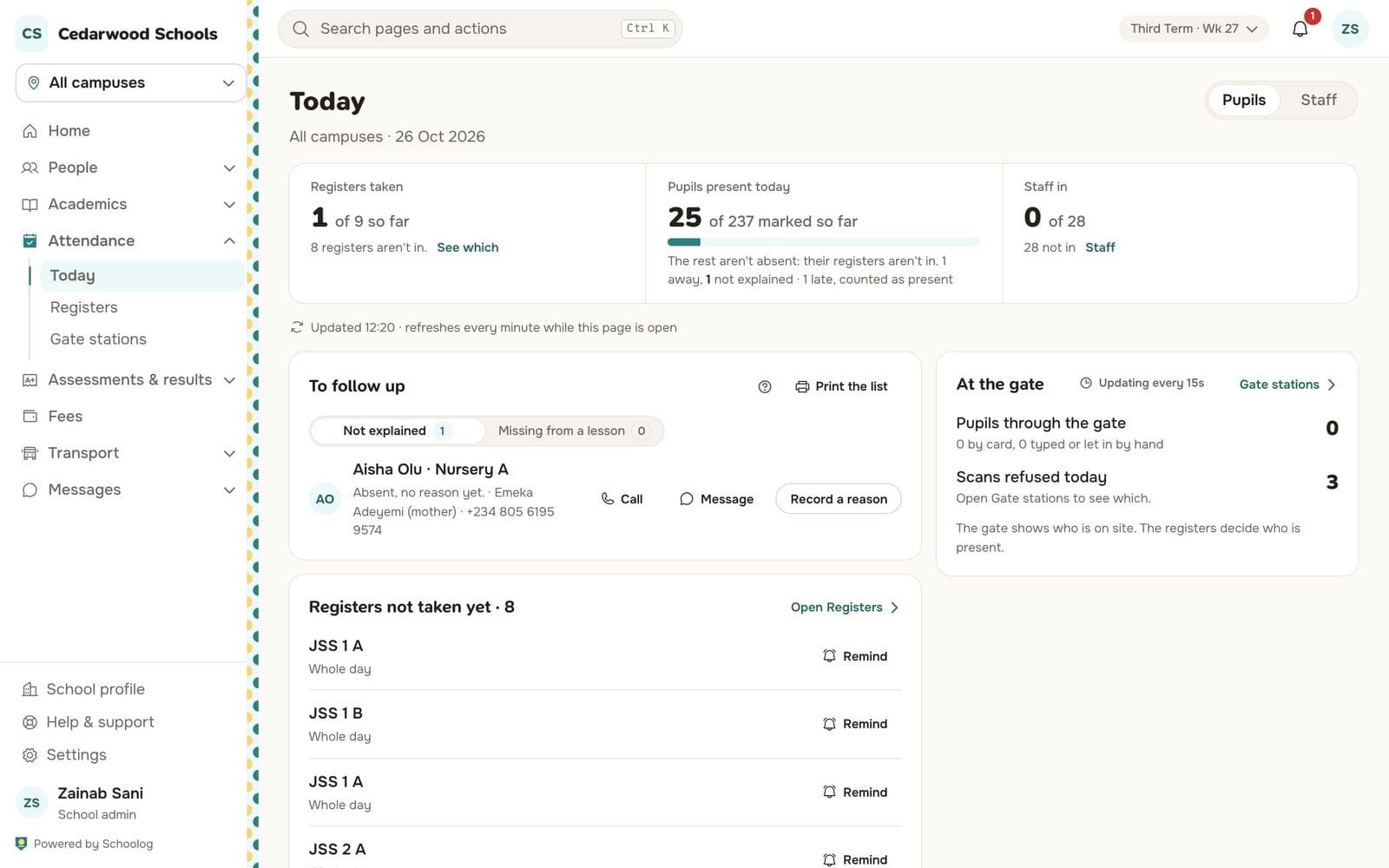
The office's Today page: registers not taken, pupils absent with no reason, and who to call.
Updated
Go to Attendance, Today.
At the top
- Registers taken so far, and which aren't. Press See which.
- Pupils present today, of those marked so far.
- Staff in, from the gate or their attendance PIN.
The page refreshes every minute while it is open.
To follow up
- Not explained: pupils marked absent with no reason yet. Each shows the guardian's name and phone. Press Call, Message, or Record a reason when the family tells you.
- Missing from a lesson: pupils in the morning register but marked absent in a later lesson.
Press Print the list for a paper copy.
Registers not taken yet
Each class whose register isn't taken has a Remind button that tells its teacher.
Explanations from families
Parents can explain an absence in the app. Explanations wait for the office. Open one and choose:
- Excused: the reason is accepted, and the mark becomes excused.
- Absent, with the reason: the reason is not accepted, and the mark stays absent with the reason kept.
The register changes with your name and the reason.