Take the register
Mark your class present, absent, late or excused in a few taps, and save once everyone is marked.
Updated
- Open Attendance from your home, or the register card on today's home page.
- Choose your class. The register shows everyone on the roll with their admission number.
- Mark the pupils who are not present: A for absent, L for late, E for excused.
- Press Mark the other N present to mark everyone else present in one tap. Press Undo if you pressed it too soon.
- Press Save. Save waits until everyone has a mark.
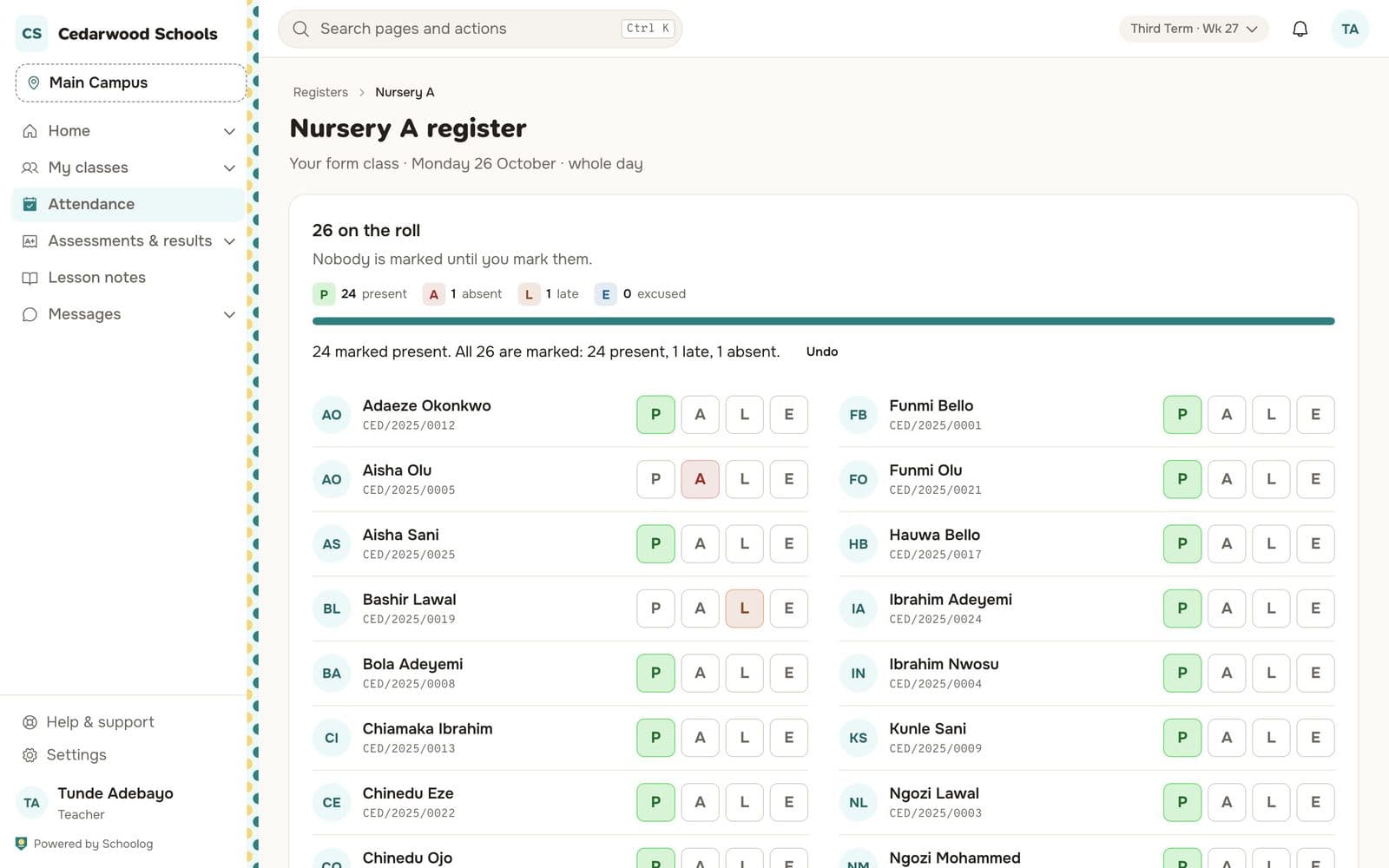
The counts at the top show how many are present, absent, late and excused.
Changing a mark
You can change a mark until midnight. Change it and save again. The clock icon beside a pupil shows the history of their mark.
From the next day, the register is closed to the teacher. Message the office to change a mark; the office changes it with a reason, and the change is kept.
Registers every lesson
If your school takes a register in each lesson, open the lesson from My timetable and take its register the same way.
The gate and the bus
If a pupil scanned in at the gate, or boarded the school bus, you'll see it beside their name. It helps, but the mark is still yours to give.