Report cards families can trust, and anyone can check
How a report card moves from the class teacher to the office to the family's phone, and why every published card carries a code that proves it has not been changed.
· 3 min read · Emmanuel Okosisi
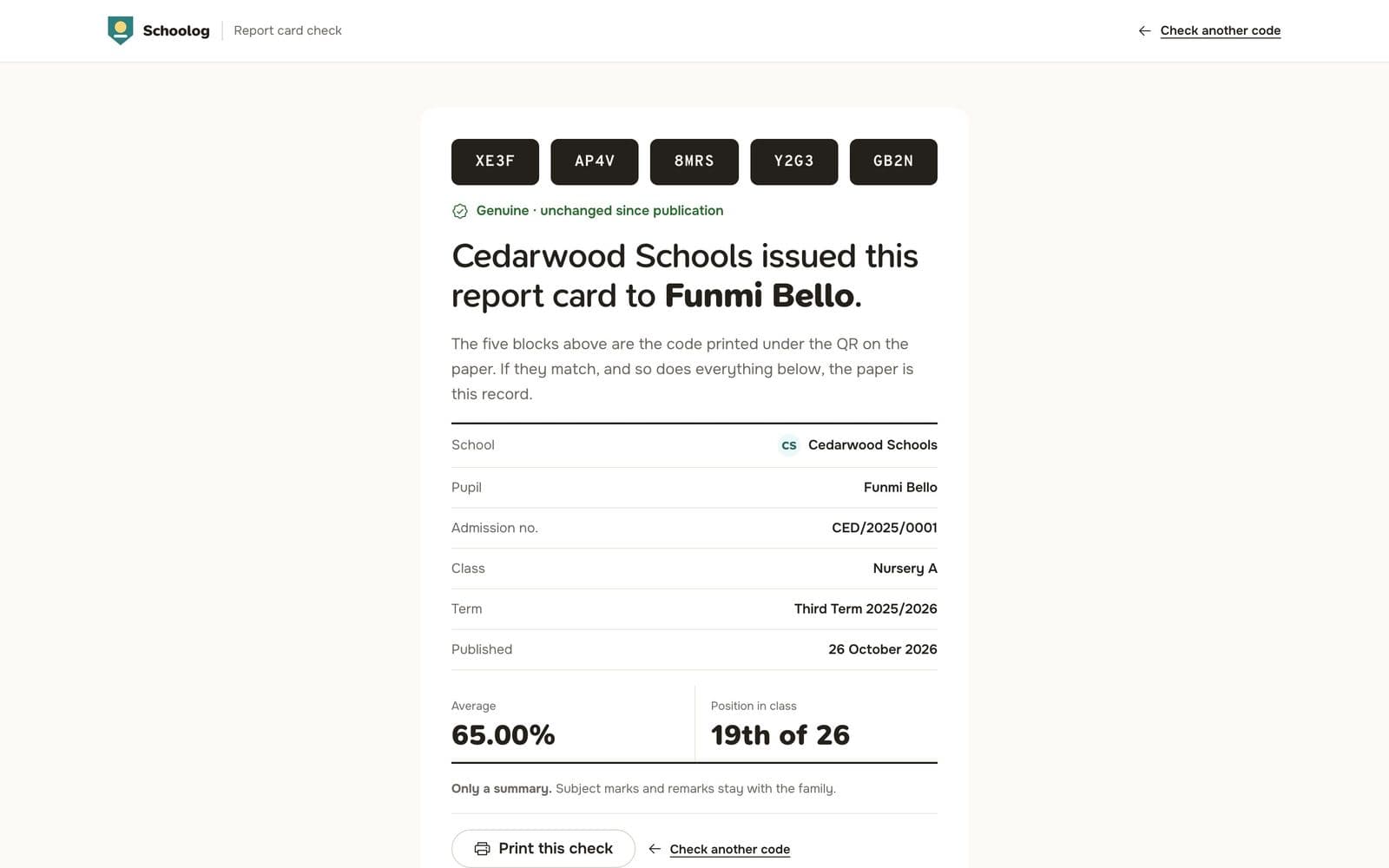
The end of term is the busiest week in a school office. Scores are chased, remarks are written, cards are printed, signed and stamped, and then a parent calls to ask why their child's position changed between the copy they saw and the one they took home.
We rebuilt report cards around one idea: a published card is final, and anyone can prove it.
The class teacher prepares the cards
When the scores are in, the class teacher prepares the term's cards for the whole class in one go. Schoolog works out the totals, averages, grades and positions from the gradebook, using the grade bands your school set for that stage.
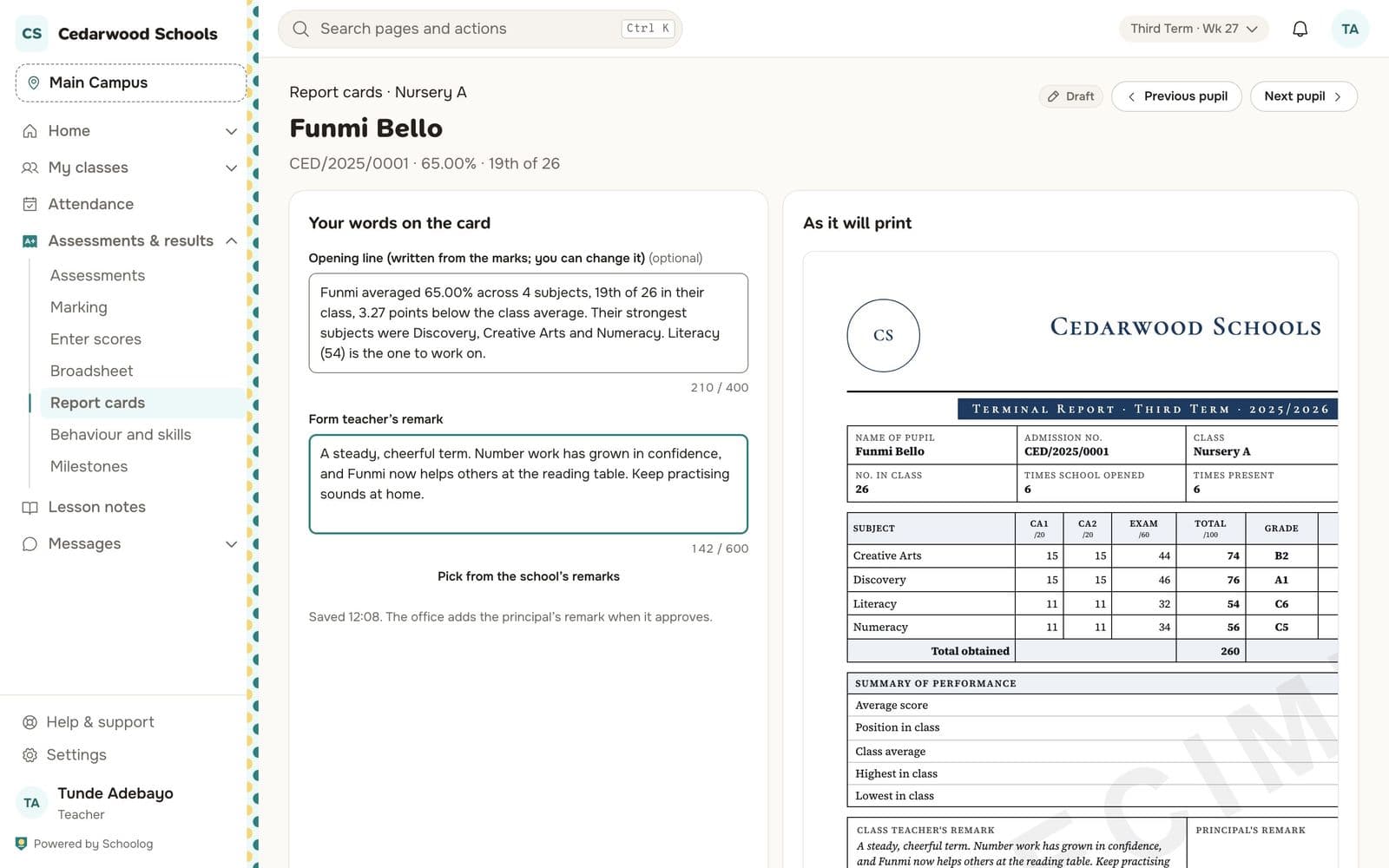
The teacher reads each card and writes the remark. Ratings for behaviour and skills are on the same page. When the class is done, the teacher sends the cards to the office. Nothing is shown to families yet.
The office approves and publishes
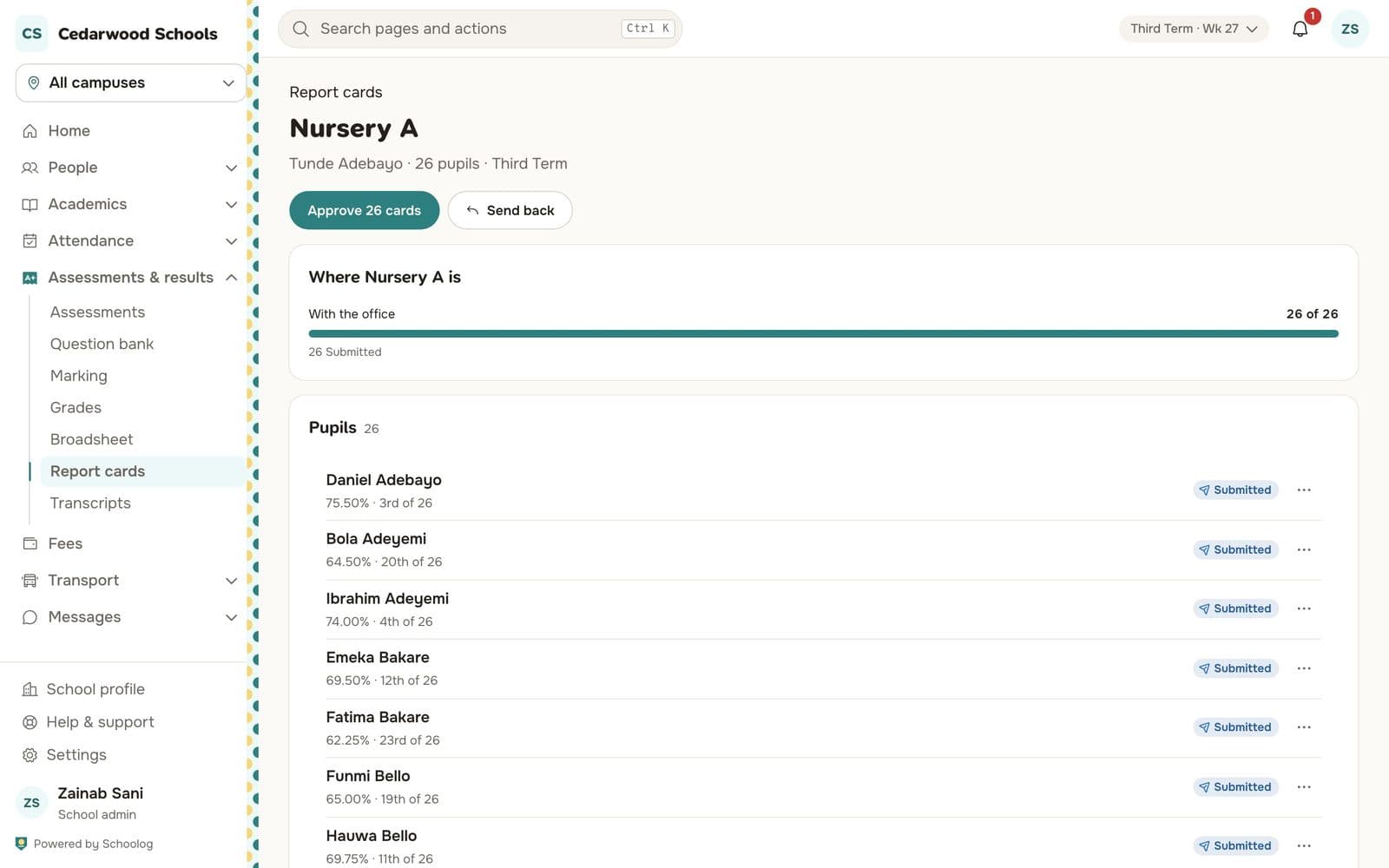
The principal or school office sees each class as it comes in. They can read any card, send one back to the teacher with a note, or approve the class. When they publish, Schoolog makes the PDFs and tells each family their child's card is ready.
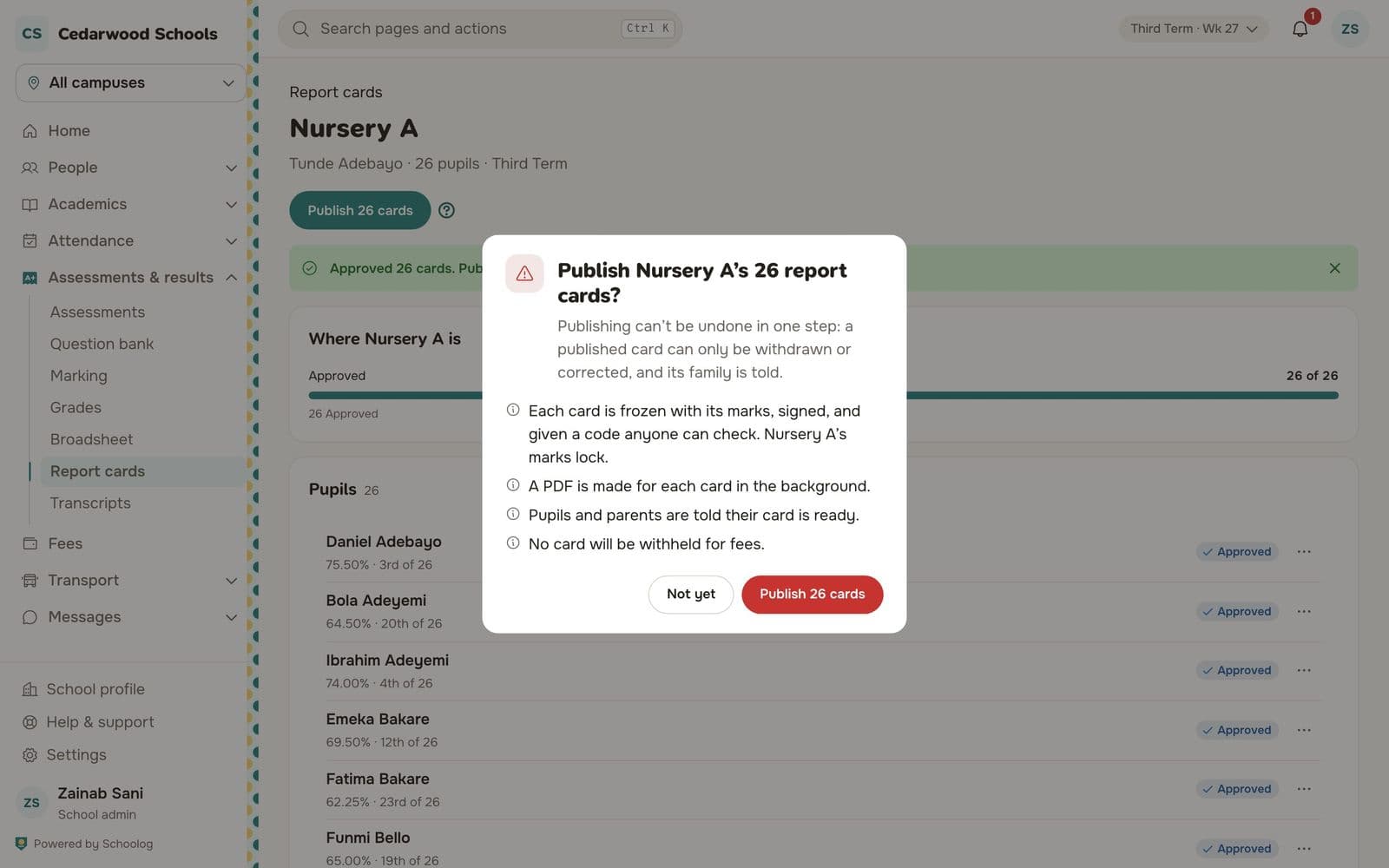
Once published, a card is frozen. The scores, remarks and design it was published with are kept exactly as they were. If something was wrong, the office withdraws the card and publishes a corrected one. The corrected card is a new version, and the old one stays in the record, marked as replaced.
Families read the card on their phone
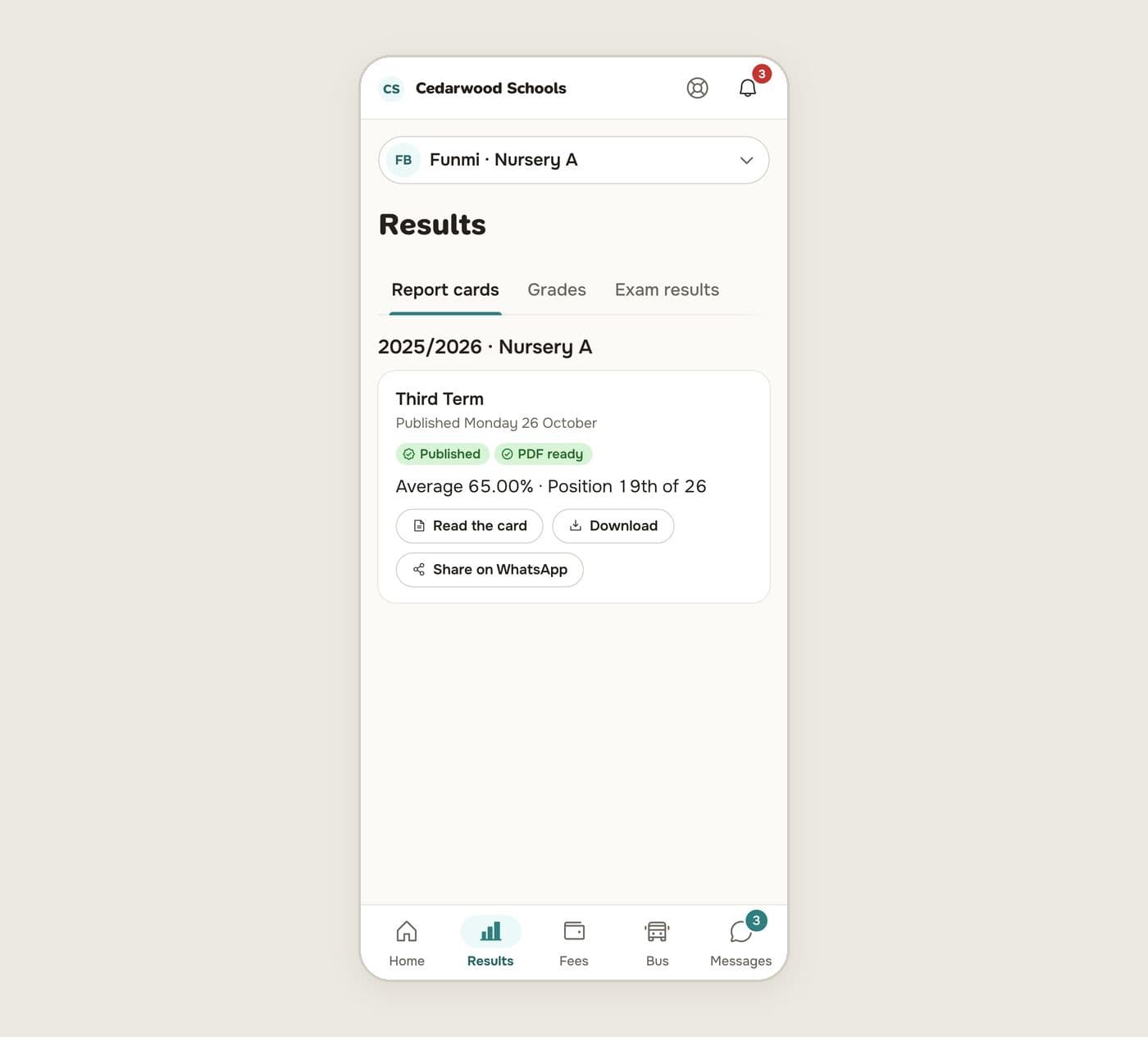
Parents see the card in the app as soon as it is published. They can read it, download the PDF, or share it on WhatsApp with a grandparent or a sponsor. If the school holds back cards for unpaid fees, the family sees that the card is waiting and why, and it is released automatically once the fees are paid.
Anyone can check a printed card
Every published card has a verification code printed on it. Another school checking a transfer, a scholarship board or an embassy can type the code or scan it and see whether the card is genuine and unchanged since it was published.
The check shows the pupil, the school and the term, and compares the card's content with what was published. If the card was withdrawn or replaced, the check says so. The school sees every check in its verification log, so it knows when a card has been looked up.
Five designs, one per stage
Schools do not all want the same card. Schoolog has five designs: Registry, a formal ruled card; Ledger, a modern grid; Heritage, a framed certificate; Compass, which puts a summary first; and Sprout, for the early years, which describes what a child can do instead of giving marks. Each stage can use a different one, and your crest and colours go on all of them.
To set it up, read Report card design, then Prepare and submit report cards for teachers and Approve and publish report cards for the office.