Report card design
Choose a design for each stage and what each card shows.
Updated
Go to Report cards, Layout.
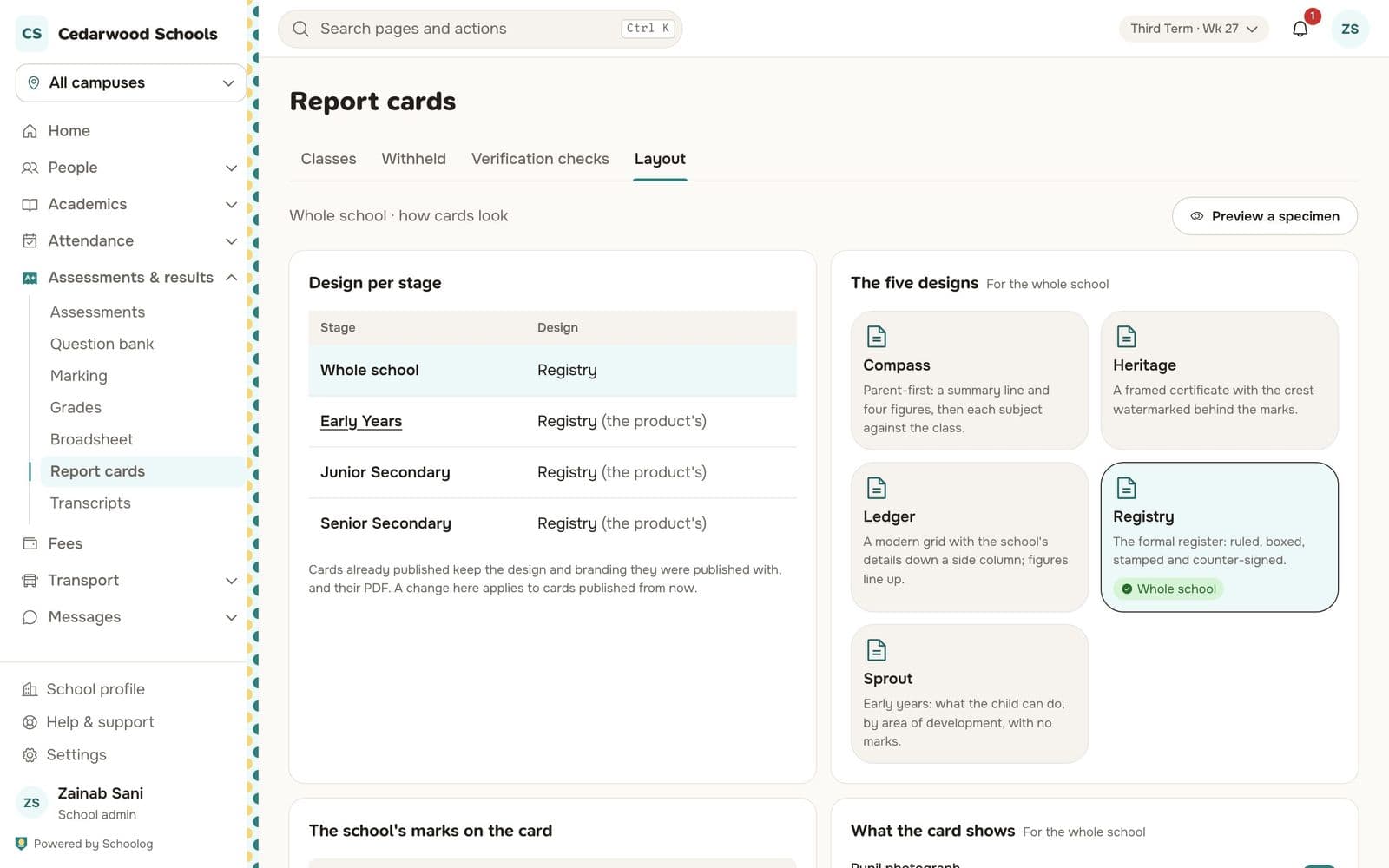
Five designs
- Registry: the formal register, ruled, boxed, stamped and counter-signed.
- Ledger: a modern grid with the school's details down a side column.
- Heritage: a framed certificate with the crest watermarked behind the marks.
- Compass: for parents first, with a summary line and four figures, then each subject against the class.
- Sprout: for the early years: what the child can do, by area of development, with no marks.
Choose one for the whole school, or a different one for each stage, under Design per stage.
What the card shows
Choose what each card shows: the pupil's photo, position in class, attendance, behaviour and skills ratings, the next term's date, and the signatures.
Press Preview a specimen to see it with sample data.
Cards already published keep the design they were published with. A change applies to cards published from now.