Pupil sign-in
Pupils sign in with their admission number and a PIN or password. Here's how to give a new one.
Updated
How pupils sign in
Pupils sign in on their school's own page, not the main Schoolog sign-in. They type their admission number and their PIN or password.
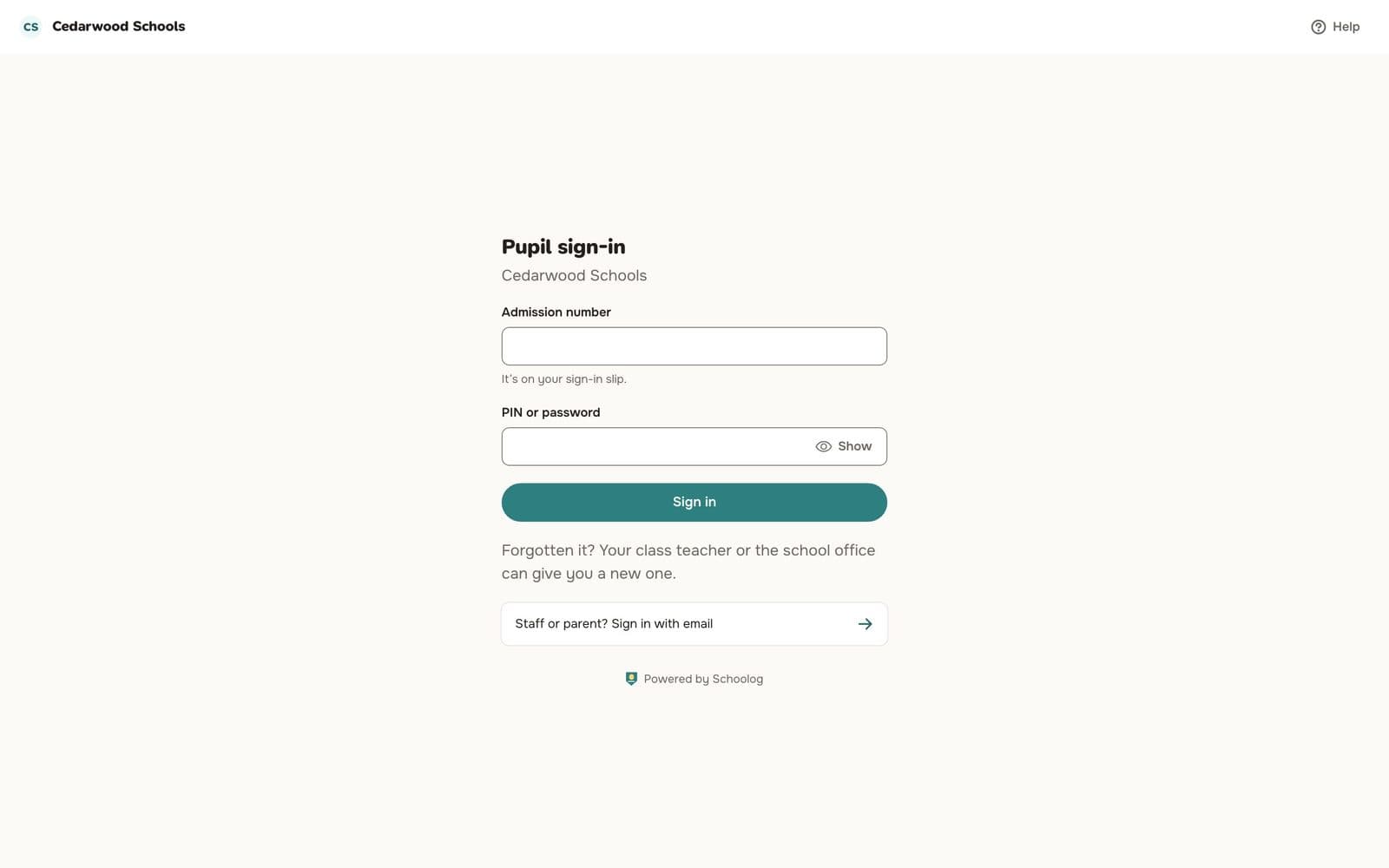
Each stage uses one or the other: a short PIN for younger pupils, a password for older ones. The school sets this per stage.
Give a pupil a new PIN or password
Class teachers, the office and the pupil's parents can do this.
- Open the pupil's record and go to the Sign-in tab.
- Choose a reason, such as "Forgot it".
- Press Issue a new sign-in.
- The new PIN or password is shown once. Give it to the pupil.
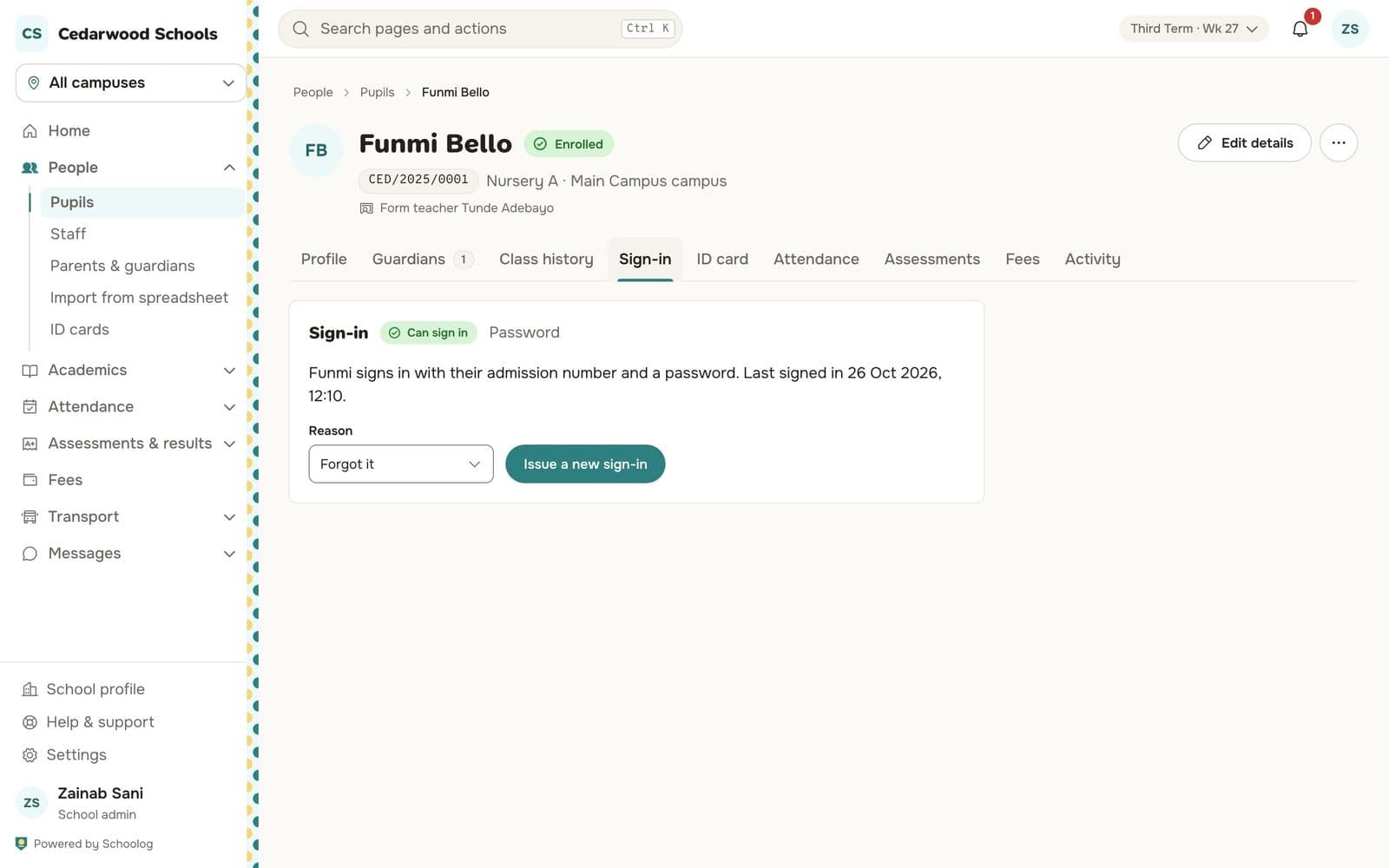
The reason is recorded.
Locked out
After too many wrong tries, a pupil waits a few minutes before trying again. Staff can press Unlock on the Sign-in tab to let them try at once.