Write a lesson note
Write the note for a lesson and send it to your reviewer.
Updated
- Go to Lesson notes.
- Find the subject, class and week, and press Write the note for the lesson.
- Fill in:
- Topic and subtopic. If the school has a scheme of work, the topic is filled in for you.
- How you'll teach it, and the length in minutes.
- What pupils will be able to do: one line each, like "state what power is", not "understand".
- What they already know, materials and references.
- The steps of the lesson.
- Press Preview to see it as your reviewer will.
- Press Send for review.
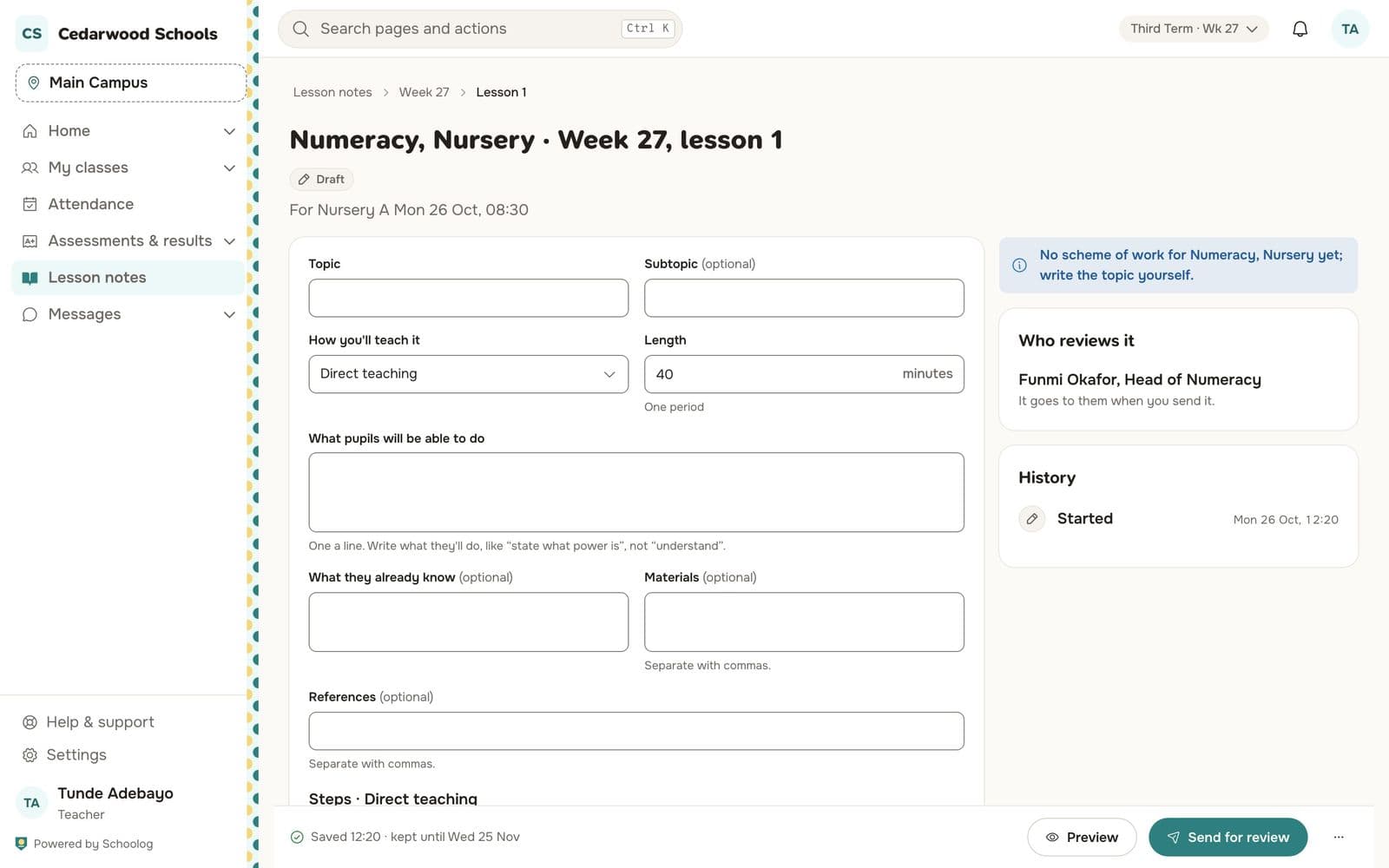
The note saves as you type. The box on the right says who reviews it and shows its history.
After review
If the reviewer asks for changes, you'll see their comment on the note. Change it and send it again. Once approved, the note carries the reviewer's stamp and can't be changed.